41. If you do everything for one reason, then all you have done will be become meaningless when the reason does.
James Richardson, Vectors: Aphorisms and Ten-Second Essays
ultracrepidarian: a person who criticizes, judges, or gives advice outside the area of his or her expertise.

41. If you do everything for one reason, then all you have done will be become meaningless when the reason does.
James Richardson, Vectors: Aphorisms and Ten-Second Essays
26.
The tyrant’s self-esteem is just fine, thank you. It’s you he
doesn’t care much for. And yes, he recognizes that he doesn’t
feel what you feel. Which is a good thing, since your feeling is
so weak that it makes him need to beat you up.
James Richardson, Vectors 3.0: Even More Aphorisms and Ten-Second Essays
If you’re a developer, sooner or later you’ll need to poll a website or URL, looking for information. There are good and bad uses of this, (looking at you, Ticketmaster and scalpers) and I want to be good. (This was inspired by reading Rachel’s post about her rate limiter.)
As part of my podcast speech-to-text project I am downloading a chunk of XML from their RSS feeds. These are commercial and can handle lots of traffic, but just the same why not be smart and polite about it? My goal is to have a cron job polling for new episodes, and I don’t want to cost them excess hosting and traffic fees.
The HTTP spec includes a header called Last-Modified, so your first thought might be:
This will not work. ‘HEAD’ doesn’t include Last-Modified. Instead, you need the ‘ETag’ header! It’s roughly (see that link for details) a file hash, so if the RSS updates the ETag should as well. Simply save the ETag to disk and compare the version returned in the ‘HEAD’ metadata. Fast, polite, simple. Here’s the Python version from the project:
def podcast_updated(podcast: Podcast) -> bool:
    # Based on our saved last-updated time, are there new episodes? If not, don't
    # hammer their server. Internet manners. Method - call HEAD instead of GET
    # Note that HEAD doesn't include a timestamp, but does include the cache ETag, so
    # we simply snapshot the etag to disk and see if it differs.
    filename = podcast.name + '-timestamp.txt'
    try:
        r = requests.head(podcast.rss_url)
        url_etag = r.headers['ETag']
        file_etag = open(filename, 'r').read()

        if file_etag == url_etag:
            log.info(f'No new episodes found in podcast {podcast.name}')
            return False
    except FileNotFoundError:
        log.warning(f'File {filename} not found, creating.')

    open(filename, 'w').write(url_etag)
    return True
It adds a local file per URL, which is a bit messy and I need to rework the code a bit, but it’s working and runs quite fast.
Another idea would be to try the requests-cache module, which does this plus local caching of content. I’ve read their docs but not tried it yet.
P.S. Yes, I also shared this on StackOverflow. 😉
So I pay for WordPress to host this blog. Money well spent at 48/year. I also run a private blog. The WordPress iOS app as well as their new Jetpack app both refuse to log into the self hosted instance.
Why? I’m guessing fuck you, pay me. The BlogPost app kind of works but I need to work on its image uploading.
Had to rant. Guessing there are lots of others in this predicament.
Well, Twitter blocked my client app Tweetbot and I’ve finally setup Mastodon. At a friends’ recommendation I’ve created @pfhubbard (Mastodon) and am finding the people that I used to read/follow.
What a goddamn catastrophe.
I’m a fan of JS Bach in general and of his pipe organ work in particular. My mom was sometimes a church organist, so I’ve memories of reading while she practiced, though always with synths and not a full organ. I did get to hear the instrument at Cordiner Hall many times while working there, complete with hunchbacking down a five foot tall tunnel underneath the seats while it was played… anyway.
This is an excellent performance, a bit different than my favorite by Marie-Claire Alain, but its well recorded and definitely wonderful. Good headphones recommended, otherwise the pedal tones don’t come through as they should. That final chord resolution, singing through the hall, just goosebump inducing. Enjoy.
This is a topic for a small percentage of people, but the Internet is vast so I’ll post it for others who’ll find it useful.
By way of context, I am 6’10” (208cm) and 260lb (118kg). I’m looking for daily clothes for office work mostly, and exercise gear as well with a strong focus on longevity and environmental impact. I do have a couple suits and a tuxedo but those mostly sit idle so they’ll be discussed as a side topic. Let’s go!
I skim via RSS as explained here, and two sites I’ve come to trust are Dappered and Put This On. String King and Taylor Stitch, for example, were both via Dappered.
Back when I was doing more business travel, a friend recommended Sam’s Tailor, on the Kowloon side of Hong Kong. I’ve been there twice, and gotten a suit, two blazers, several dress shirts and some dress pants. It’s been years since I was there though. My tuxedo was a random purchase on a trip to Singapore, and the price and experience were meh so I’d recommend Sam’s there also.
Note that Sam’s does women’s clothing too – I took one of my wife’s favorite shirts along and they made a couple copies in silk for her.
I hope that this list helps someone else out. Do contact me or leave a comment, please.
WordPress mobile will throw errors about missing XML-RPC functionality if your PHP installation is missing the ‘dom’ library.
Took a while, that did.
apt install php-dom
So there are fifty to one hundred dollar stands that hold a MagSafe puck for your phone on your desk. Save your money – this is a 20 dollar stand with a MagSafe attached using two 3M Command Strips.
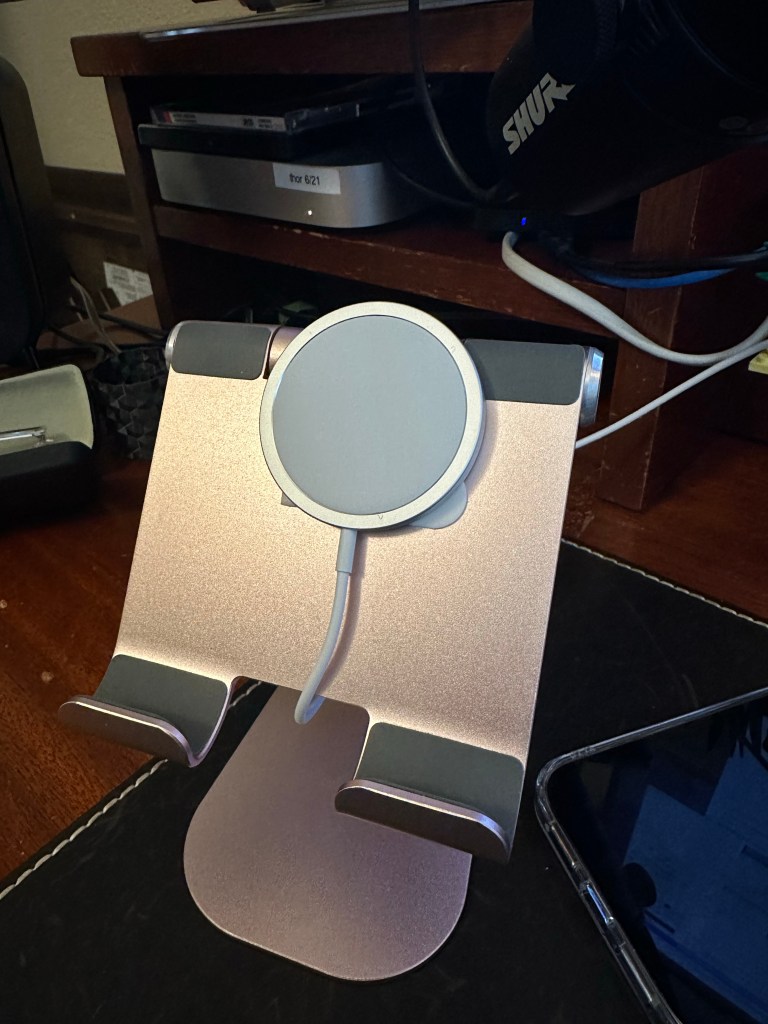


I got the stand from Amazon(non referral link). Tablet Stand Adjustable, Lamicall. The strips are “Command Poster Hanging Strips Value-Pack, Small, White, 48-Pairs (17024-48ES)” which are eight dollars for 48, I used two here to hold the puck firmly. The magnets in the puck are strong, so this provides enough adhesion to keep it in place when I pull the phone away.
Simple, cheap, and the 3M strips remove cleanly for when things change. I can now just drop my phone here as I work and it’s visible and topped off. The AirPods also work well.
It’s Saturday, and I wanted to do a bit of Python coding. Specifically, I want to use
I’ve been 96% happy using my iPad as laptop replacement (note the arbitrary precision! So science-y!) and this is a continuation of that effort. Based on a six colors post, I’ve used the REST endpoint from my power monitor to build an iOS widget using Scriptable:

Today I want to extend that with timestamps. To do so, I need to edit Python (Flask and SQLite) that’s running on my Raspberry Pi.
There are a few ways to code on an iPad, and I’ve bought a few. In this case, I need remote development, where the code is remote and the iPad is a terminal.
Commence the searching! This post was a good start, and I dimly recalled that VS Code had a remote capability, which eventually led me to this post. He links to the code-server project, which in theory can run on my RPi. It looks great:

Well, that doesn’t work. NPM issues. More searching led me to the single-issue raspi-vscode project.
Nope, that fails too:

I found the log file and it appears that there’s no cloud-agent binary for the arm7l on the Raspberry Pi:
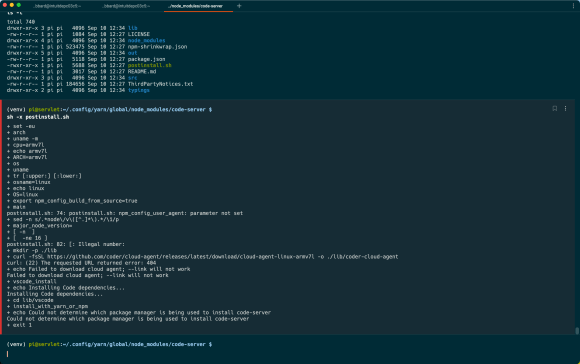
This leads to the saddest and loneliest page on the Internet:
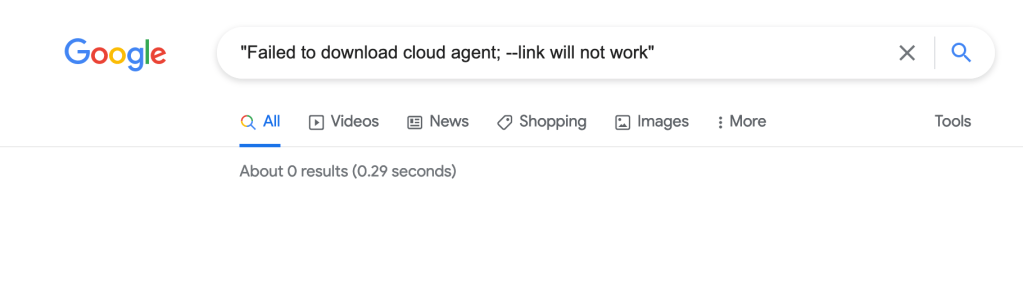
Zero results. Gotta leave it there for now, but maybe someone else can move this forward. It’s worth noting that the code-server project now has a new open source project called ‘coder’ but it doesn’t have arm binaries either.
 ultracrepidarian