
Built into a recycled box with odd old-school moving-needle meters.
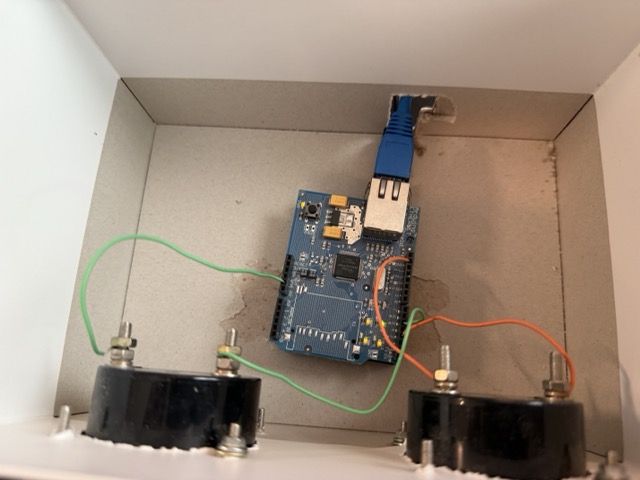
Short version – the needles show how busy our Internet connection is. Today’s silly hack.
Details and source code over at https://github.com/phubbard/snmp-gauges
ultracrepidarian: a person who criticizes, judges, or gives advice outside the area of his or her expertise.

Built into a recycled box with odd old-school moving-needle meters.
Short version – the needles show how busy our Internet connection is. Today’s silly hack.
Details and source code over at https://github.com/phubbard/snmp-gauges
As I’ve written about before, LLMs are an amazing tool for programming. In addition to IDE plugins / autocomplete integrations (Github CoPilot, Qodo) I’m finding utility in a pattern of ‘running conversation in ChatGPT in dedicated app.’ I can ask anything there, snippets and one-offs and what-ifs. The full -o1 model is really good.
Anyway, this is the current state – side project (open source here) is an iOS app in SwiftUI that will automatically capture context using Bluetooth iBeacons with the goal of generating a log that can become contact engineer billing records. The idea:
The GPS idea is for possibly trying to compute miles driven; may work or not. The regions will be marked using iBeacons. Cheap, supported by the operating system, easy.
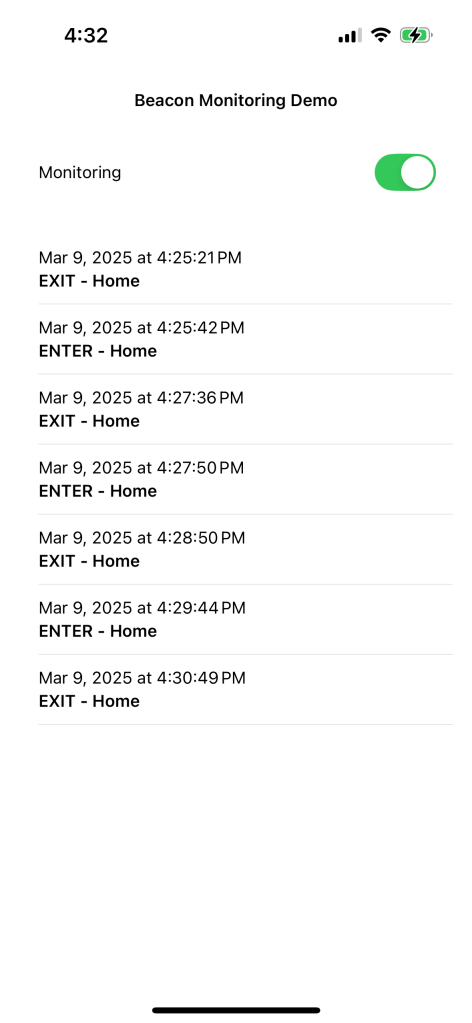
I don’t really know SwiftUI, so I just asked ChatGPT for code and started hacking. It works and continues to work! LLMs are amazing for learning this way. I can ask random changes, explanations, fixing errors; anything! Here’s todays version of the app:

Damn.

If you’ve not tried coding with an LLM, go try it. Treat it like a freshly graduated student – you can ask it anything, and it’ll know the most amazing ways to write code and solve problems. It’ll be wrong yet confident sometimes, but as a way of getting unstuck and having fun hacking, I’m having a ball.
So a while ago, Reddit enshittified after taking PE money. Turned off the APIs, blocked third-party apps, etc. And the official app is a really shitty ad-laden experience. So. Do you have
The details would take ages to type out, thus numbers 2 and 6. Drop a comment if this is useful and I’ll write a followup; right now I’d guess I have maybe two-digit readership.
The source code that you want is called Winston, here on GitHub. Yes, like 1984. Clone it, load it into Xcode, and then modify the two bundle identifiers. I use the net.phfactor prefix since that’s my domain; be creative but they have to be unique to Apple.

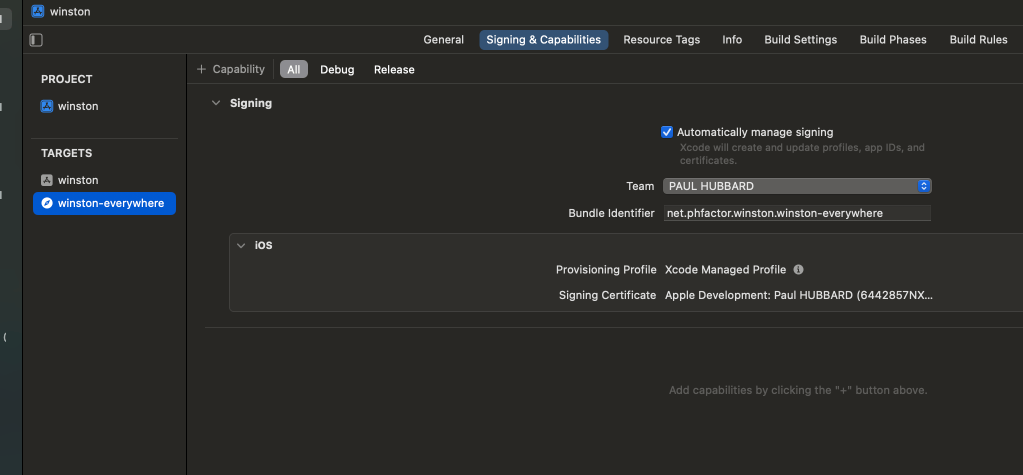
I vaguely remember that you need to create a Reddit developer token which is also painful (See #6) but only needs doing once. The results are well worth the hassle. I just pulled main and rebuilt today after my build expired. (The $99 developer device builds are only good for a year. Apple forces everything through their App Store and this as close as they allow. Yes, it sucks.)
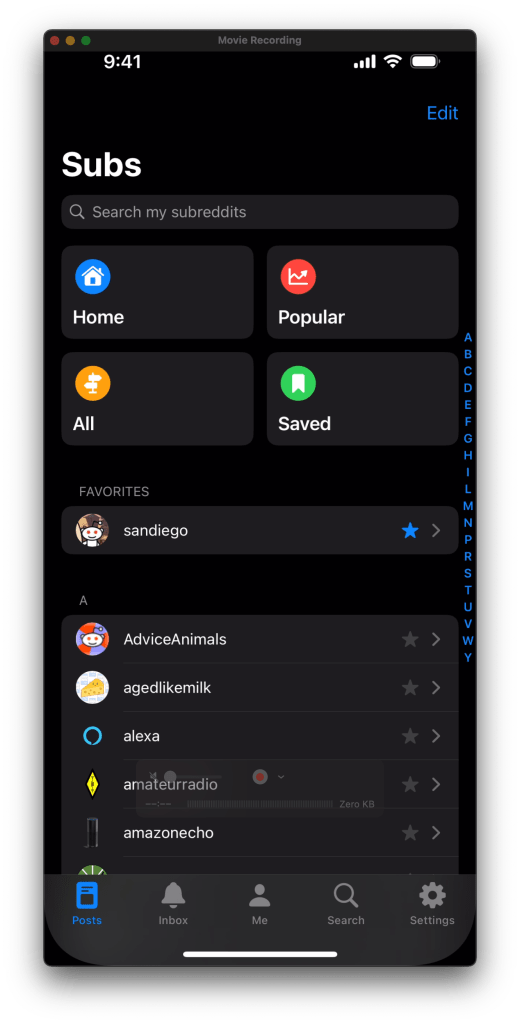
And my local peeps

It’s good to be back.

We’re a couple of years into the LLM era now, and the Gartner hype cycle from last year seems relevant:

The purpose of this post is to share two hard problems (in the CS sense of the term) that I and a friend solved with an LLM.
I’m friends with a couple of guys who have a podcast. (I know, right?) It’s been going for seven years or more now, is information-packed and more than once I’ve wanted to be able to search for something previously mentioned. Then, via Simon Willison I think, I learned about the amazing Whisper.cpp project that can run OpenAI’s Whisper speech-to-text model at high speed on desktop hardware. As others have said, “speed is a feature” and being able to do an hour of audio in a few minutes on a MacBookPro or Mini made the project interesting and feasible.
The overall goal of the project was to generate transcripts of every episode, index them with a local search engine, and serve the results as a static website. Open source code, no plan to monetize or commercialize, purely for the fun of it.
The code uses Python for logic, Makefiles for orchestration, wget for web downloads, mkdocs for website generation, xmltodict for the RSS parsing, Tenacity for LLM retries and rsync to deploy code. Nothing too exciting so far.
This let us generate a decent website. However, it was quickly obvious that Whisper would not suffice, since it doesn’t indicate who is speaking, a feature known as ‘diarization.’ After sharing the work on the TGN Slack, a member offered his employers’ product as a potential improvement. WhisperX, hosted on OctoAI, includes diarization. So instead of this wall of text
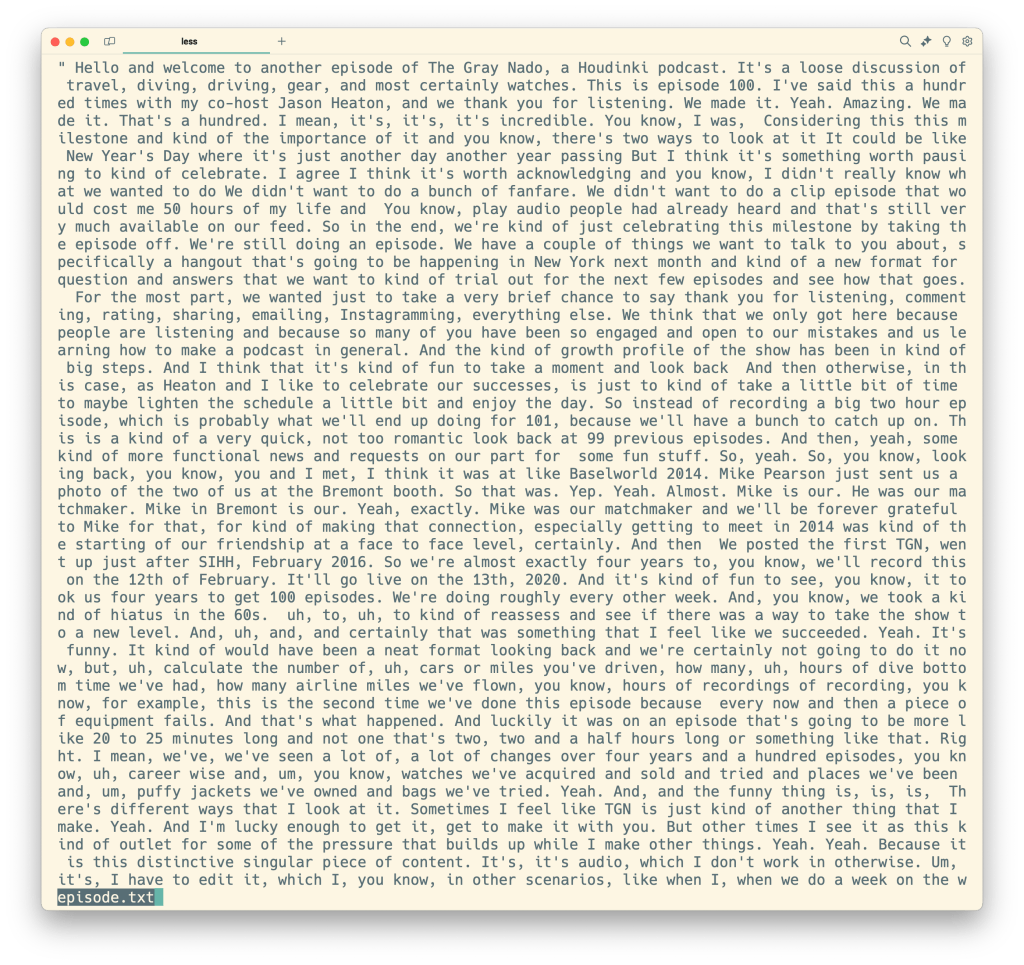
you get something more like this (shown processed a bit)
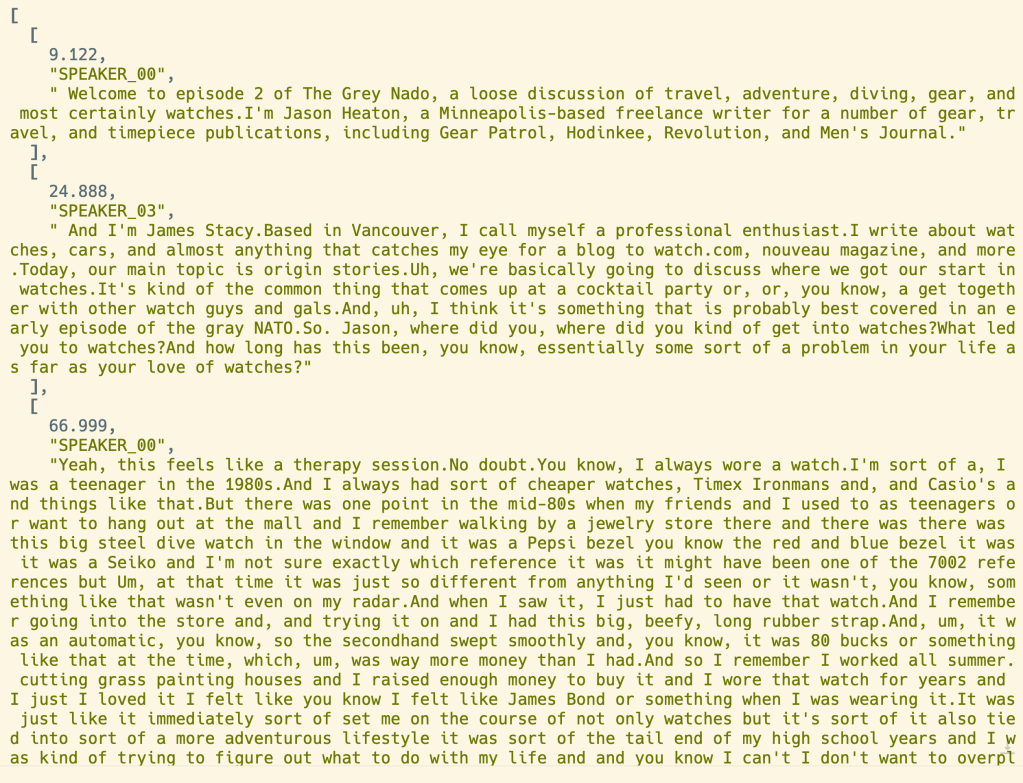
So now we have roughly an hours’ worth of audio, as JSON, with labels as to speaker. But the labels are not the names of the speakers. ‘SPEAKER_00‘ isn’t helpful. We need the names.
We need to somehow process 50-100KB of text, with all of the peculiarities of English, and extract from it the names of the speakers. Normally it’s the same two guys, but sometimes they do call-in type episodes with as many as 20 callers.
This is super hard to do with programming. I tried some crude “look for their usual intros” logic but it only worked maybe half of the time, and I didn’t want to deep-dive into NLP and parsing. At my day job, I was working on LLM-related things so it made sense to try one, but our podcasts were too large for the ChatGPT models available. Then came Claude, with 200k token windows and we could send the entire episode in a single go.
The code simply asks Claude to figure out who’s speaking. Here is the prompt:
The following is a public podcast transcript. Please write a two paragraph synopsis in a <synopsis> tag
and a JSON dictionary mapping speakers to their labels inside an <attribution> tag.
For example, {"SPEAKER_00": "Jason Heaton", "SPEAKER_01": "James"}.
If you can't determine speaker, put "Unknown".
If for any reason an answer risks reproduction of copyrighted material, explain why.
We get back the JSON dictionary, and the Python code uses that to build correct web pages. That works! Since we were paying maybe a nickel per episode, we also ask for a synopsis, another super hard programming task that LLMs can do easily. The results look like this:

Note the synopsis and the speaker labels.
It works great! We now have a website, with search index, that is decent looking and a usable reference. There’s more to do and work continues, but I’m super pleased and still impressed at how easy an LLM made two intractable problems. It’s not all hype; there are real, useful things you can do and I encourage you to experiment.
Lastly, please check out the website and enjoy. A complete time capsule of the podcast. I wonder if Archive.org needs a tool like this?
I just realized that I hadn’t posted this. Several months ago, I read about whisper.cpp and started playing with it. To quote from their docs, whisper.cpp is a
High-performance inference of OpenAI’s Whisper automatic speech recognition (ASR) model:
https://github.com/ggerganov/whisper.cpp
- Plain C/C++ implementation without dependencies
- Apple Silicon first-class citizen – optimized via ARM NEON, Accelerate framework, Metal and Core ML
In other words, a fast and free speech transcription app that runs on your laptop. Damn!
In fact, it’s so efficiently written that you can transcribe on your iOS phone. Or browser. Haven’t tried those yet.
Anyway, that gave me an idea: a couple of friends of mine run a podcast called TGN. They’ve been at it for a few years, and have around 250 episodes of an hour each. Could I use whisper.cpp to produce a complete set of episode transcripts? If I did, would that be useful?
(Insert a few months of side project hacking, nights and weekends.)
It works, pretty well. For podcasts, however, you end up with a wall of text because Whisper doesn’t do what’s called ‘speaker diarization,’ that is, identifying one voice or another. It’s on their roadmap, though.
I was sharing the progress on the TGN slack when an employee of the company OctoML DM’d me. They have a WhisperX image that does diarization, and he offered to help me use it for the project.
(More nights and weekends. Me finding bugs for OctoML. Adding a second podcast. Getting help from a couple of friends, including the a-ha mkdocs idea from David.)
Voila! May I present:
The key useful bits include
Lots of features yet to build but it’s been a really fun side project. Source code is all on GitHub, right now I’m in the prefect branch, trying out a workflow rewrite using Prefect.
If you’re a developer, sooner or later you’ll need to poll a website or URL, looking for information. There are good and bad uses of this, (looking at you, Ticketmaster and scalpers) and I want to be good. (This was inspired by reading Rachel’s post about her rate limiter.)
As part of my podcast speech-to-text project I am downloading a chunk of XML from their RSS feeds. These are commercial and can handle lots of traffic, but just the same why not be smart and polite about it? My goal is to have a cron job polling for new episodes, and I don’t want to cost them excess hosting and traffic fees.
The HTTP spec includes a header called Last-Modified, so your first thought might be:
This will not work. ‘HEAD’ doesn’t include Last-Modified. Instead, you need the ‘ETag’ header! It’s roughly (see that link for details) a file hash, so if the RSS updates the ETag should as well. Simply save the ETag to disk and compare the version returned in the ‘HEAD’ metadata. Fast, polite, simple. Here’s the Python version from the project:
def podcast_updated(podcast: Podcast) -> bool:
    # Based on our saved last-updated time, are there new episodes? If not, don't
    # hammer their server. Internet manners. Method - call HEAD instead of GET
    # Note that HEAD doesn't include a timestamp, but does include the cache ETag, so
    # we simply snapshot the etag to disk and see if it differs.
    filename = podcast.name + '-timestamp.txt'
    try:
        r = requests.head(podcast.rss_url)
        url_etag = r.headers['ETag']
        file_etag = open(filename, 'r').read()

        if file_etag == url_etag:
            log.info(f'No new episodes found in podcast {podcast.name}')
            return False
    except FileNotFoundError:
        log.warning(f'File {filename} not found, creating.')

    open(filename, 'w').write(url_etag)
    return True
It adds a local file per URL, which is a bit messy and I need to rework the code a bit, but it’s working and runs quite fast.
Another idea would be to try the requests-cache module, which does this plus local caching of content. I’ve read their docs but not tried it yet.
P.S. Yes, I also shared this on StackOverflow. 😉
It’s Saturday, and I wanted to do a bit of Python coding. Specifically, I want to use
I’ve been 96% happy using my iPad as laptop replacement (note the arbitrary precision! So science-y!) and this is a continuation of that effort. Based on a six colors post, I’ve used the REST endpoint from my power monitor to build an iOS widget using Scriptable:

Today I want to extend that with timestamps. To do so, I need to edit Python (Flask and SQLite) that’s running on my Raspberry Pi.
There are a few ways to code on an iPad, and I’ve bought a few. In this case, I need remote development, where the code is remote and the iPad is a terminal.
Commence the searching! This post was a good start, and I dimly recalled that VS Code had a remote capability, which eventually led me to this post. He links to the code-server project, which in theory can run on my RPi. It looks great:

Well, that doesn’t work. NPM issues. More searching led me to the single-issue raspi-vscode project.
Nope, that fails too:

I found the log file and it appears that there’s no cloud-agent binary for the arm7l on the Raspberry Pi:
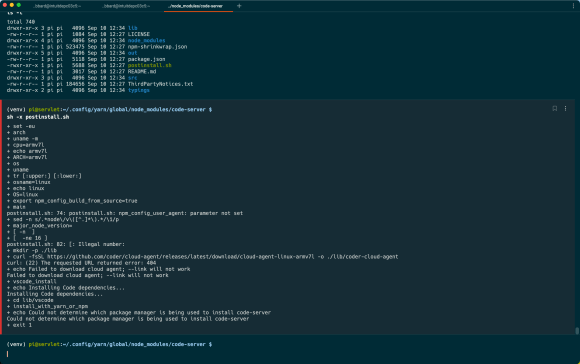
This leads to the saddest and loneliest page on the Internet:
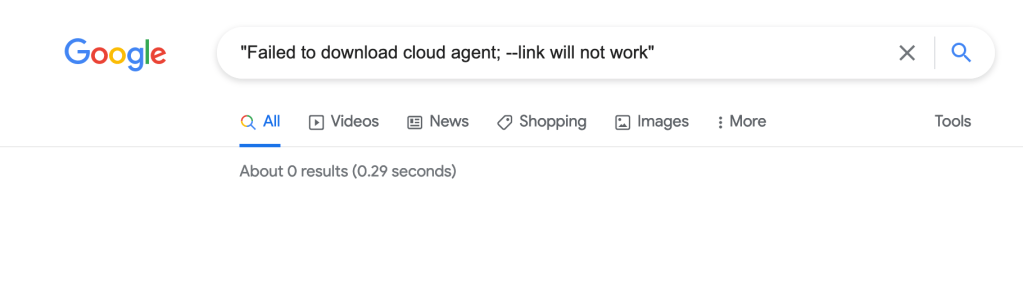
Zero results. Gotta leave it there for now, but maybe someone else can move this forward. It’s worth noting that the code-server project now has a new open source project called ‘coder’ but it doesn’t have arm binaries either.
 ultracrepidarian