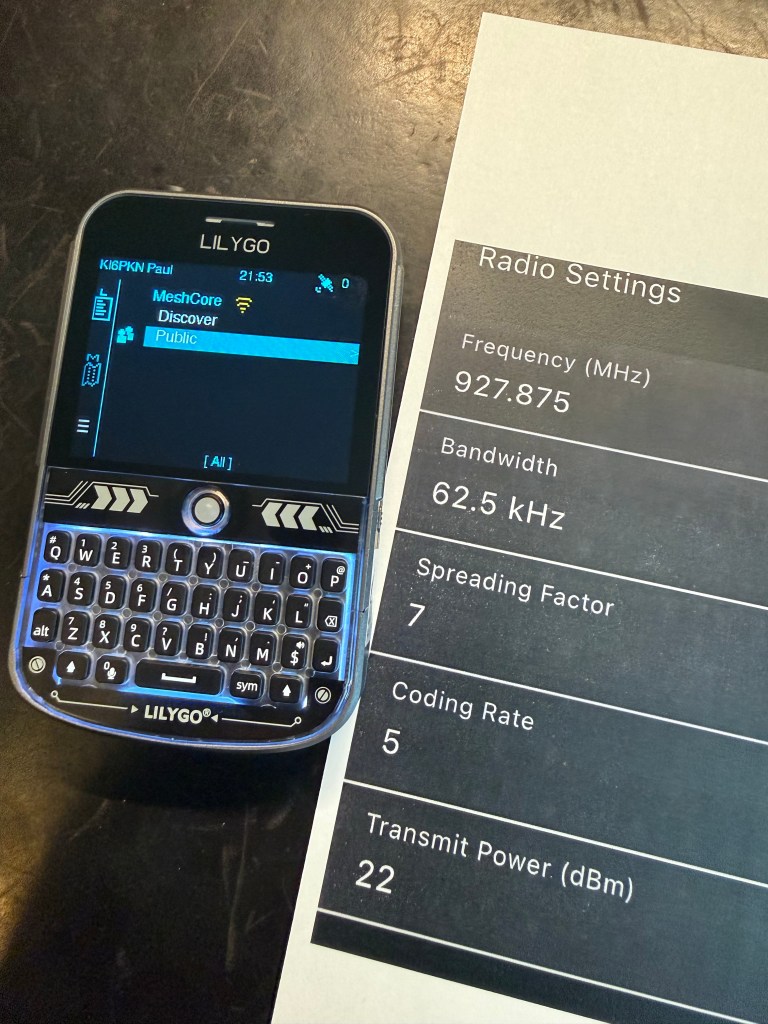
Cute, no?
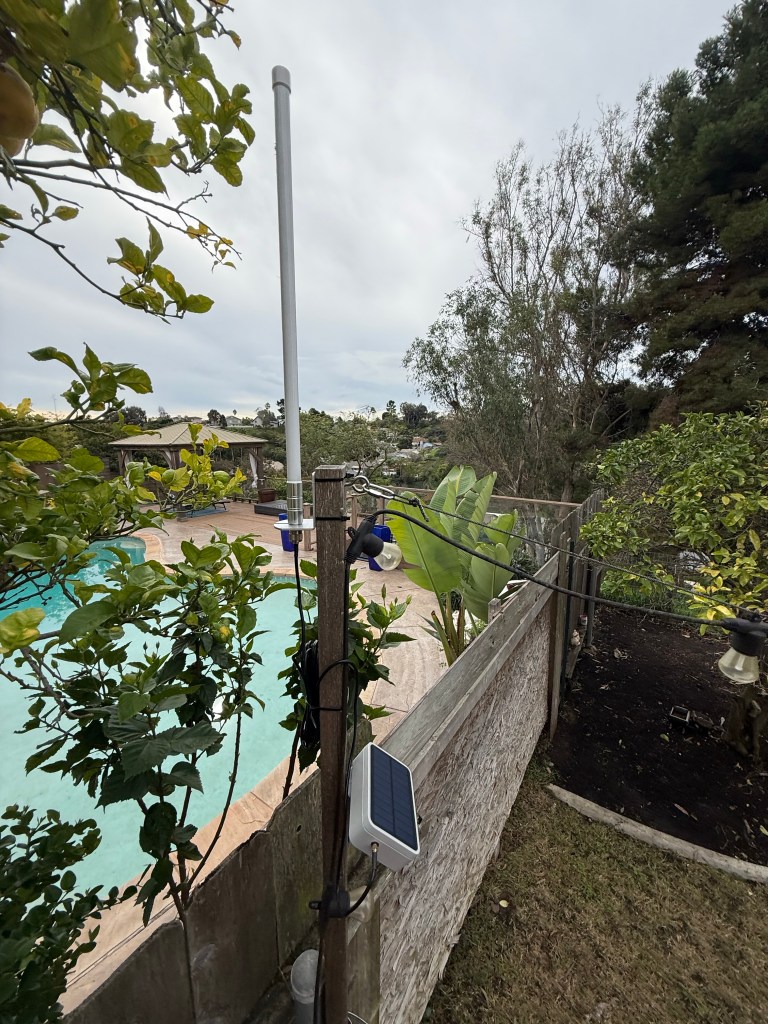
That’s the repeater. More about it later.
I have a complicated history with ham radio. Years ago, a friend/co-worker and I got our one-day ‘Technician’ licenses, and for years after that I tried to make first contact. Like, talk to anybody. I learned about bands and power and radios and repeaters and programming software and hackable firmware and only managed walkie-talkie on FRS and GMRS. Suuuper frustrating.
I was recently emailing a former co-worker (Hi, Jon!) who’s taken up ham radio as hobby and somewhere in there we started talking about Meshtastic. Then in December it made front page on either Tildes or Lobsters and I was intrigued. Especially this story about using it on sailboats. And this followup post. I also sometimes watch his videos, so this Jeff Geerling post was also valuable.
Key bits:
- It’s inexpensive – radios are $50 to $150, repeaters $100 to $300. Software, protocol and firmware are all open source.
- It’s in the no-license-required ISM spectrum, meaning that you don’t need a ham or GMRS license.
- It’s low power, so a radio can run for days, a repeater can be compact and solar-powered and you don’t need to plug stuff into the wall.
- No need to drill holes in my house for coax or power because of #3.
- It’s super limited: Line of sight, text messages. No pictures, no web pages.
- It looks like low-stakes fun to learn and use.
- Radio and repeater programming is via a web page – no programs to install! Yay Web Serial.
Based on some research, I ordered
- Two Seeed SenseCAP T1000-E cards (waterproof, 2 day battery, GPS included) via Amazon for $51 each.
- Lilygo T-Echo (e-ink) via eBay for $110
- Lilygo T-Deck Plus with GPS via Amazon for $102. This is the Blackberry-looking radio seen above.
- Heltec v3 with e-paper display via eBay for $55.
- RAKwireless Wismesh Repeater Mini plus wall and pole mount from Rokland for $130
- High-gain 8dBi antenna from Amazon for $44.
Note that I’m simplifying here a bit – the repeater came later, and the antenna was a recommendation from the ‘San Diego Mesh’ Discord.
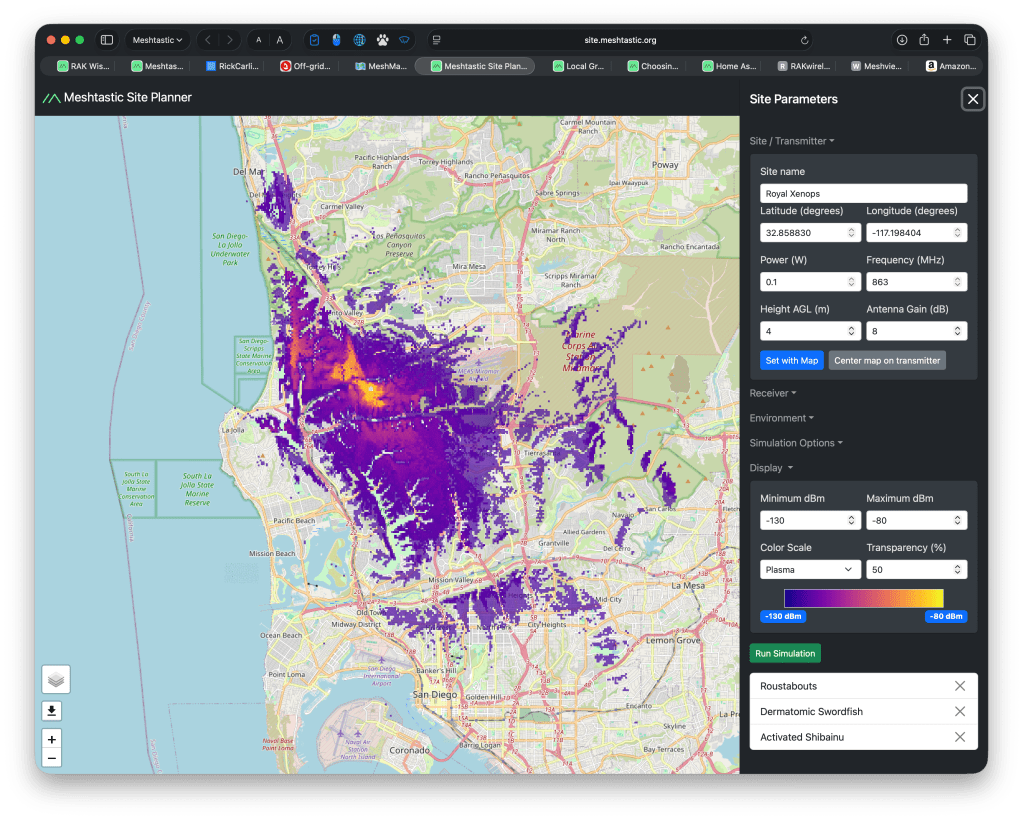
The Meshtastic site planner predicted that the repeater + antenna would provide incredible coverage. Remember that this is based on a tenth of a watt! Like, less than a single display LED:
Cue detours in aforementioned Discord group, learning about device roles and the tyranny of Long-Fast, and I was back to not being able to talk to anyone.
In searching for help, I found that many folks had gotten frustrated with the design tradeoffs of Meshtastic and had started a newer project called Meshcore to address them:
- Designed to scale to more nodes and distance. (Claimed. I’m not competent to judge)
- Works on the same devices and frequencies as Meshtastic, so you can try one or both just by re-flashing devices. This in particular was compelling.
- Simpler configuration
More about Meshcore:
- Main site
- Web-based flasher/programmer (which works notably better than the Meshtastic one)
- Map of radios and repeaters and this community map and this West Coast Mesh map.
So I spent half a day building and installing the repeater in the back yard only to a) not see traffic or get more than a single response and b) the estimated coverage was really shit:
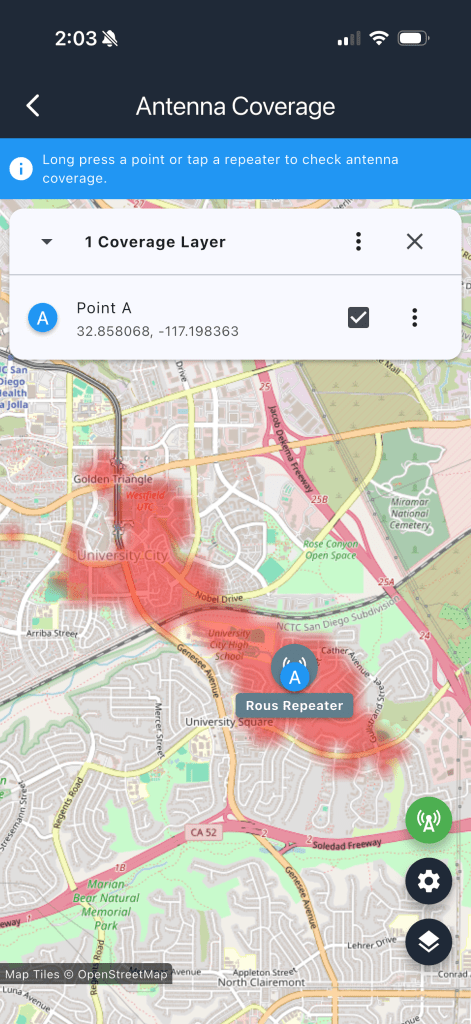
One of the folks on the Discord sent me the key information: as seen on the West Coast Mesh page, local radios do not use the USA presets for frequency, bandwidth, spread factor and coding rate. I had been talking to no one! Here are the correct settings:1
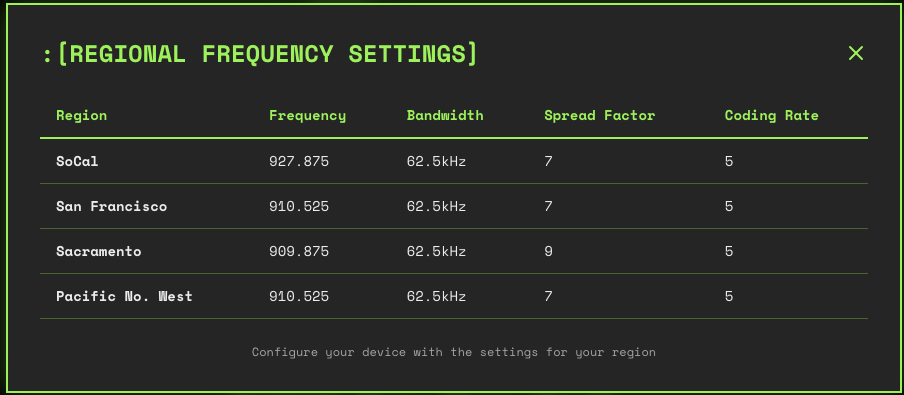
That made the difference! Now I can see and talk to people. Here’s a chat from me, using the iOS app to a T1000-E card to the repeater, going 10 hops to get north of Los Angeles:
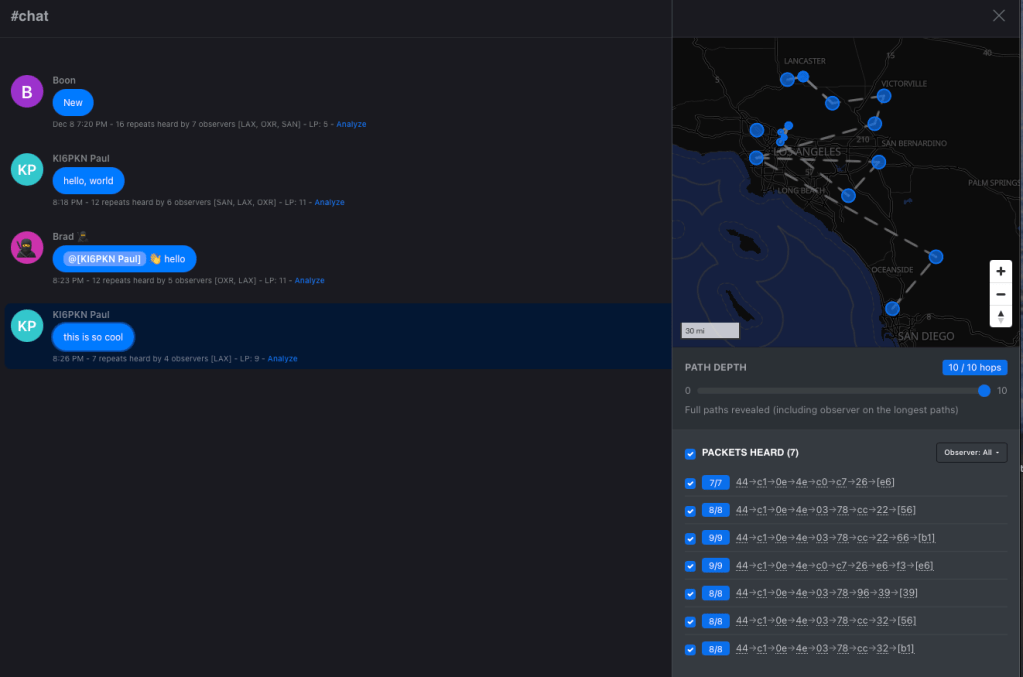
That trace is from the very useful tool here, by the way. Just click on a message to see its trace.
Key things to know
- One of the two T1000-E cards is basically bad – after DFU reset, it’ll program and then not work. The WisMesh Tag from RAKwireless is supposed to better and more reliable. Others have also had issues with the T1000-E.
- The Lilygo T-Echo sorta works.
- The Heltec V3s all murder batteries – like an hour. Get V4 or something else.
- The Lilygo T-Deck is pretty awesome but you have to select the ‘use SD card for storage’ version of the firmware or else you are limited to 6-character channels.
- The repeater seems to be good, but you gotta get that antenna way up high. I will try to do so – roof? PVC pipe as mast? Tree? Dunno yet but right now I can’t reach the friend I’ve convinced to try this with me.
- It’s not super useful. The real uses are stuff like cellular outages, off-grid camping/hunting/hiking, remote no-infrastructure land use and nerding out.
- My repeater is now showing up on on the WCMesh Map after I uploaded it. I am unreasonably pleased with this. Repeater public key is 4450A0B0C86FC09D7193196DE7C29078AACFB2999E75F06FE2C41C7E35861434
- There’s a ‘room server’ feature where you program a radio to basically be a BBS / IRC server. This looks really cool, I see quite a few on the network and looks fun to try out.
- Hashtag channels are public and ad-hoc. Try #test, #chat as well as the Public channel. Locally we’ve also got #sandiego.
- Check this for a local group and their Discord. That got me unblocked several times, as well as advice on antennas and more.
Hardware I’d recommend to try it out based on a week or so:
- Lilygo T-Deck+. I got mine from Amazon but it took weeks to arrive. Maybe look for in-stock.
- WisMesh Tag from RAKwireless – about the same $50 as the T1000-E card but reportedly better.
- If you need a repeater, my Wismesh Repeater Mini seems good. I like that it’s install-and-forget due to the solar+battery, plus I can check and administer it locally with Bluetooth or over the Meshcore network using the app. The consensus on Discord was that the 8dBi antenna is essential once you get past basic local use.
If you want to spend the least in order to see if anyone’s using it locally, I’d suggest checking the maps above first and then trying the WisMesh Tag or T-1000E cards.
I’m having a lot of fun. You might too.





 ultracrepidarian