Reddit on iOS minus ads

So a while ago, Reddit enshittified after taking PE money. Turned off the APIs, blocked third-party apps, etc. And the official app is a really shitty ad-laden experience. So. Do you have

  1. A Macintosh
  2. some code/build experience
  3. and iPhone or iPad
  4. the desire to read Reddit
  5. A $99/year Apple Developer account
  6. Stubborness?

The details would take ages to type out, thus numbers 2 and 6. Drop a comment if this is useful and I’ll write a followup; right now I’d guess I have maybe two-digit readership.

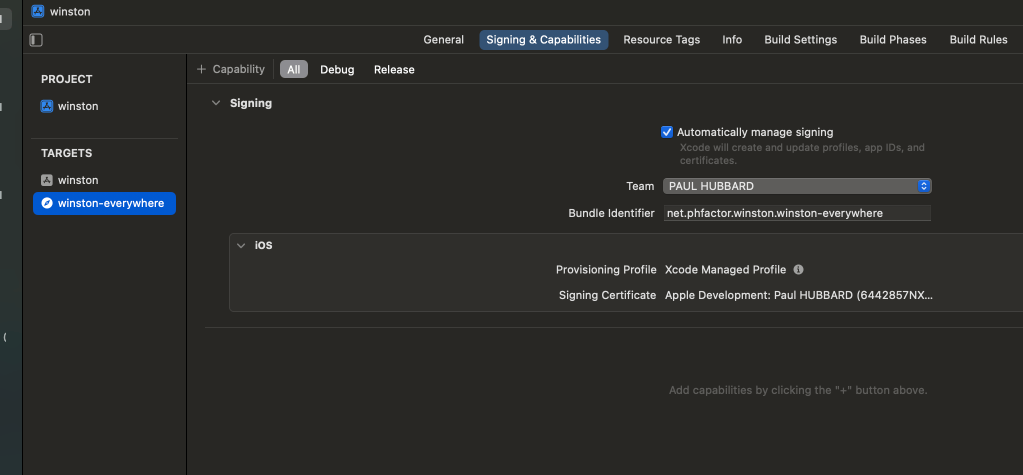
The source code that you want is called Winston, here on GitHub. Yes, like 1984. Clone it, load it into Xcode, and then modify the two bundle identifiers. I use the net.phfactor prefix since that’s my domain; be creative but they have to be unique to Apple.

I vaguely remember that you need to create a Reddit developer token which is also painful (See ) but only needs doing once. The results are well worth the hassle. I just pulled main and rebuilt today after my build expired. (The $99 developer device builds are only good for a year. Apple forces everything through their App Store and this as close as they allow. Yes, it sucks.)
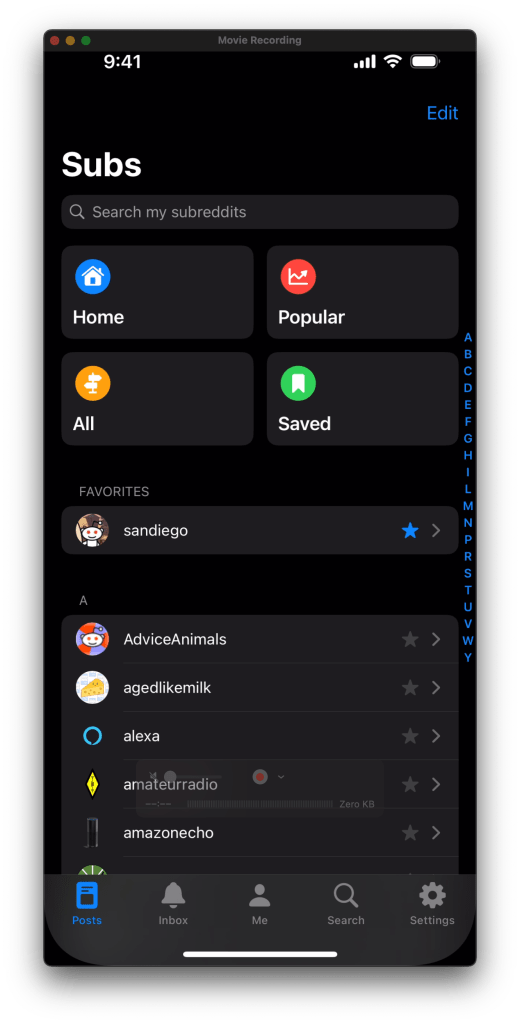
And my local peeps

It’s good to be back.

WordPress and self-hosted sites broken on iOS

If you run your own self-hosted WordPress and would like to, you know, blog now on it, you too may have gotten the maddening error “Unable to read the WordPress site on that URL”

This, though their help page does not tell you, is a filthy lie. Do the following whilst cursing their late-stage-capitalist bastard hearts:

Append “/xmlrpc.php” to the URL. That’s all that it takes.

So example.com becomes example.com/xmlrpc.php

Of course, this is only broken on self-hosted sites. Bastards, like I said.

Safari on iOS 15 – ‘Hide IP address’ breaks a lot of sites

Since I got this iPad Pro (M1, 10”) a year or so ago, it’s been my primary machine for almost everything. SSH, Remote Desktop, video of course, even video editing and uploads with the GoPro and Quik. It’s a fast, silent, long-battery machine and I love it. Paired with the trackpad/keyboard, I don’t miss my MBP13.

Except. Some websites, typically e-commerce ones, never load. You’ll see a spinner in the upper right corner, next to the cell/Wi-Fi icons, and it never loads. Today I found the fix!!

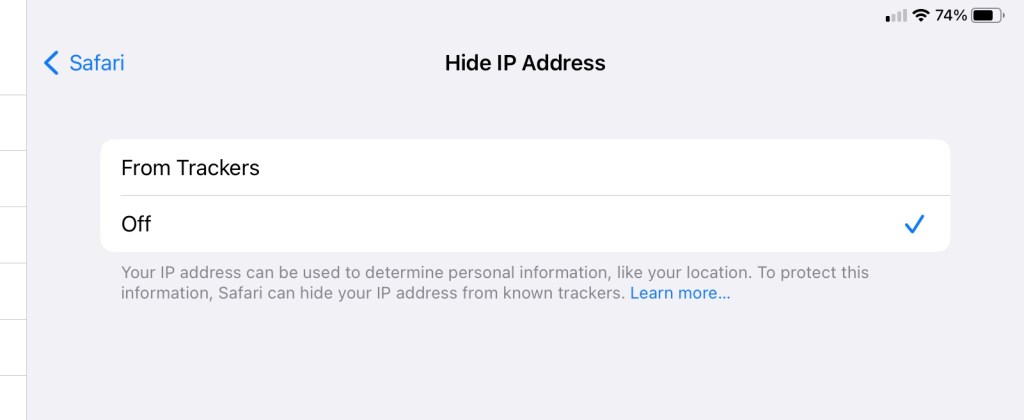
The problem is the iOS 15 privacy feature ‘Hide IP address’. Disabling it fixes every site I’ve had fail on me. Before finding this fix, I had cleared cookies, erased history, disabled extensions, bypassed the Pi-hole and sometimes used Firefox. Note that Firefox doesn’t have this problem, but I prefer Safari just a bit on iOS.

Go to Settings / Safari and scroll down.

Click on ‘Hide IP address’:

Disable it, go back to Safari and you’ll find that the mystery spinner is banished. Bizarre.

Maybe this’ll be fixed in iOS 16… due to be announced in a couple of days, but I found this so frustrating that I should share the fix.

Damn it Apple

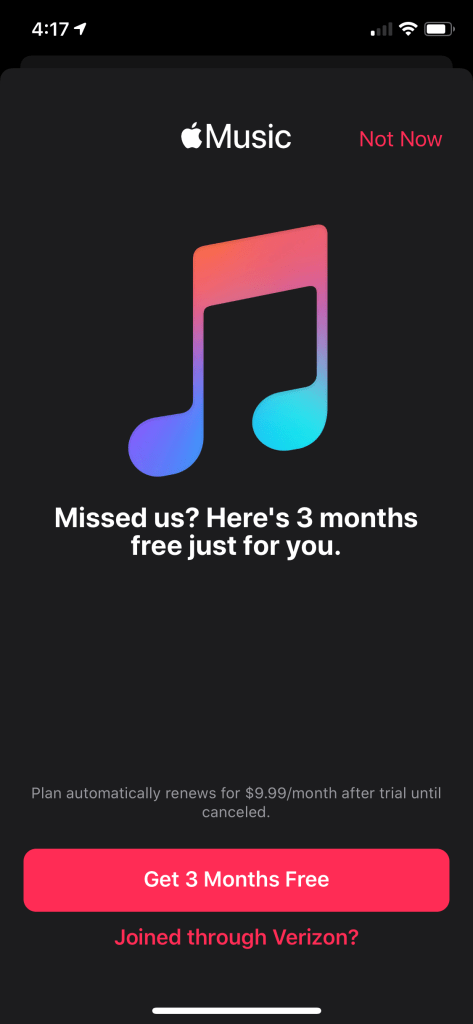
Apple Music on iOS has turned into a ad-infested shitshow of dodgy UX patterns that verge on deceptive; where the big obvious click signs you up to become a positive number on some Apple ARPU dashboard.

This sucks. Quite a lot. You literally cannot be rid of this incessant upsell bullshit. Fucking Apple, I pay a premium to avoid this shit.

My current solution is OK but has limitations – the paid iOS app ‘Cesium’. Two bucks on the App Store. Reliable, no ads, none of the upsells and I’m a happy customer. It can’t download music, bummer, and I’ve not tried the playlist editing but overall at least it works and doesn’t try to scam me out of more money.

Introducing Watchsmith – David Smith, Independent iOS Developer

Watchsmith is an application that seeks to give you complete control over the appearance and utility of your Apple Watch. First, it provides a wide array of complications. Each of these is completely customizable, with controls for things like font, color, hand type and location1. The initial set is just over 50 unique complications, with dozens more planned down the road. My goal is to provide a complication for just about every use and let you make it look just how you want. In the absence of 3rd-party watch faces, this is the closest I can get to making my own watch faces.

Introducing Watchsmith – David Smith, Independent iOS Developer

Insta-download. Yeah, I got a v5 Apple Watch a week or so ago and wow how they gotten better since the launch version I bought when they first came out. Anyway, Watchsmith looks quite clever and promising, and its free to try out.

His privacy policy is fantastic:

Other than these two cases, no personal data ever leaves your devices. Unless you email me for support, I will have no information about you or what you do within the app.

I don’t want the responsibility of managing your data correctly, so I don’t collect it, which I think is better for both of us.

Lockdown Apps

Found via Hacker News – free and open source tracker and ad blocker, works on-device using VPN hooks. That means that it’ll block in apps as well as Safari. I’m trying it now.
Note – they pay their bills with the subscription-billed VPN but you can decline that and just use the blocker. That’s what I’m trying.

For iOS devices and Mac only.

One wonders

Sometime you see an aircraft flying oddly and wonder. Allow me to recommend an ADS-B app, this is the iOS app OpenADSB:

This one was tracking CA-56. I wonder why?

Anyway, an ADS-B app shows all sorts of interesting stuff. Some time ago it showed FLIR surveilling San Diego:

Anyway, go grab yourself an app, there are others too, and hit the ‘show trails’ button to see where an aircraft has been. Sometimes its quite interesting.