This falls between stupid party trick or total clutch move. Two apple dongles plus a lightning cable and your iDevice is online at 100megabits.
Part numbers are A1277 (usb Ethernet) and A1619 (lightning to usb). I’ve heard of sysadmin uses for this, you could combine with the Prompt app for ssh for example.
As I’ve written about before, I use RSS several times a day to keep track of news from hundreds of feeds. A key part of making that work is the underlying question of “Where’s the RSS feed for this?”
Usually the Fever bookmarklet can find it, there’s a defined HTML tag that it can parse from a page. But sometimes the page doesn’t have a feed. Here are a couple of ways to find or create one.
So here’s the latest, which I’m immediately adding to the “you should buy” list:
Weather station, installed in my back yard.
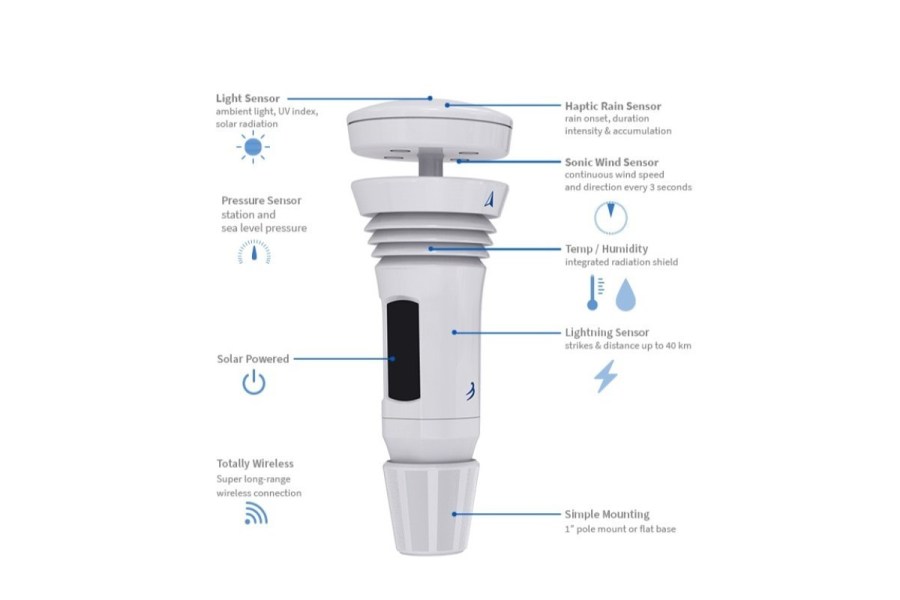
That’s the WeatherFlow Tempest Weather System, and it’s awesome. Briefly:
Smartphone and web-based displays
Simple network protocol, so there’s lots of open source to capture data
Innovative, clever sensors – ultrasonics for wind speed and direction, piezo for rainfall. No moving parts!
Solar powered
Works with or without the internet
Also has cool stuff like a lightning sensor (useless in San Diego)
Calibrated to lux and watts per square meter
Reports UV levels too
Precise temp/humidity of course.
Here’s a picture from the vendor:
Basically a does-everything solution. I found it via this TechHive review and got one ordered. It took a few weeks to arrive, but having just installed it, like I say, I’m already a fan. You have to pay more ($329) for the better tech, but having bought and had fail any number of $50 to $100 ‘weather stations,’ I’m ready to buy it once and enjoy it.
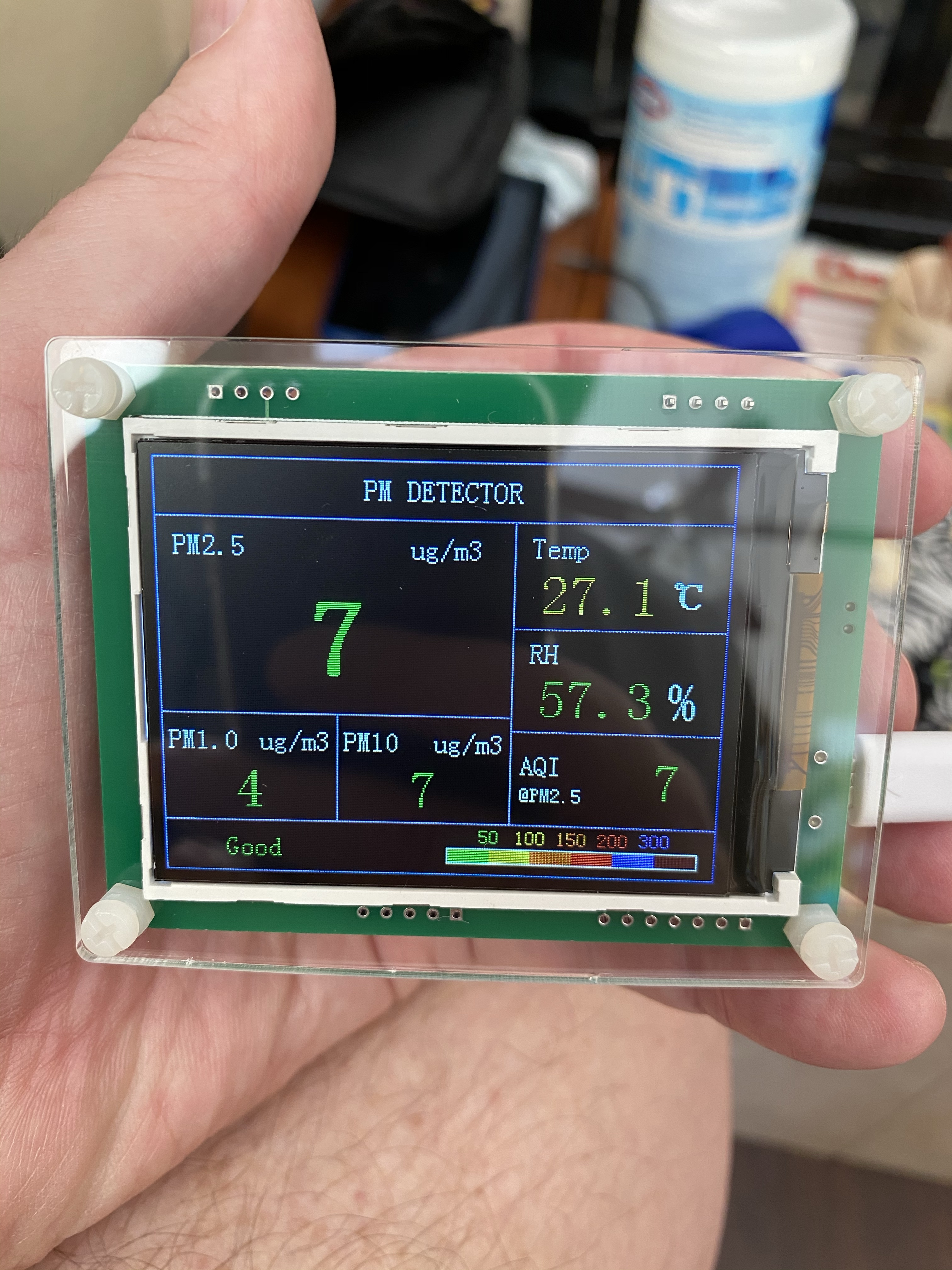
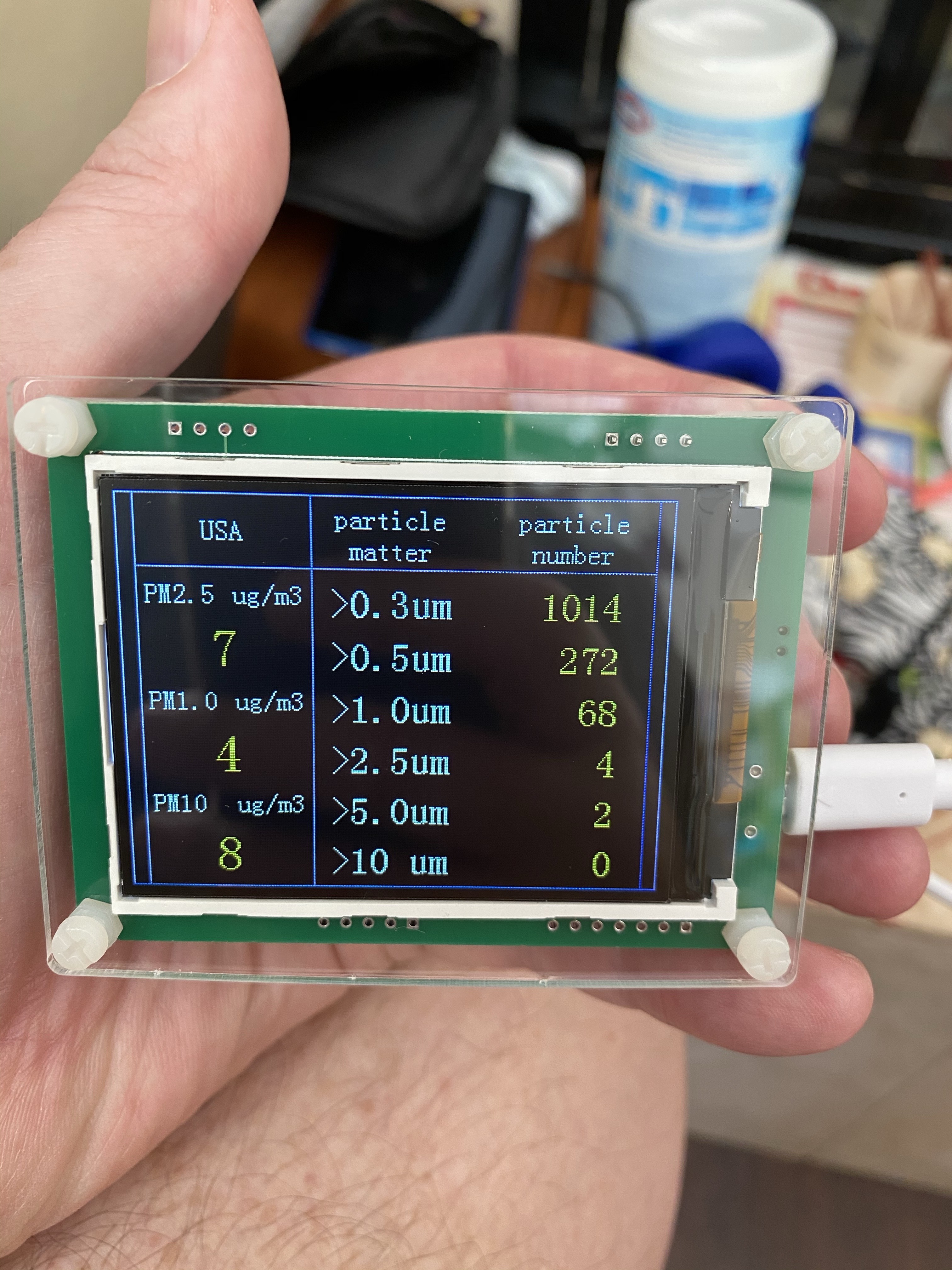
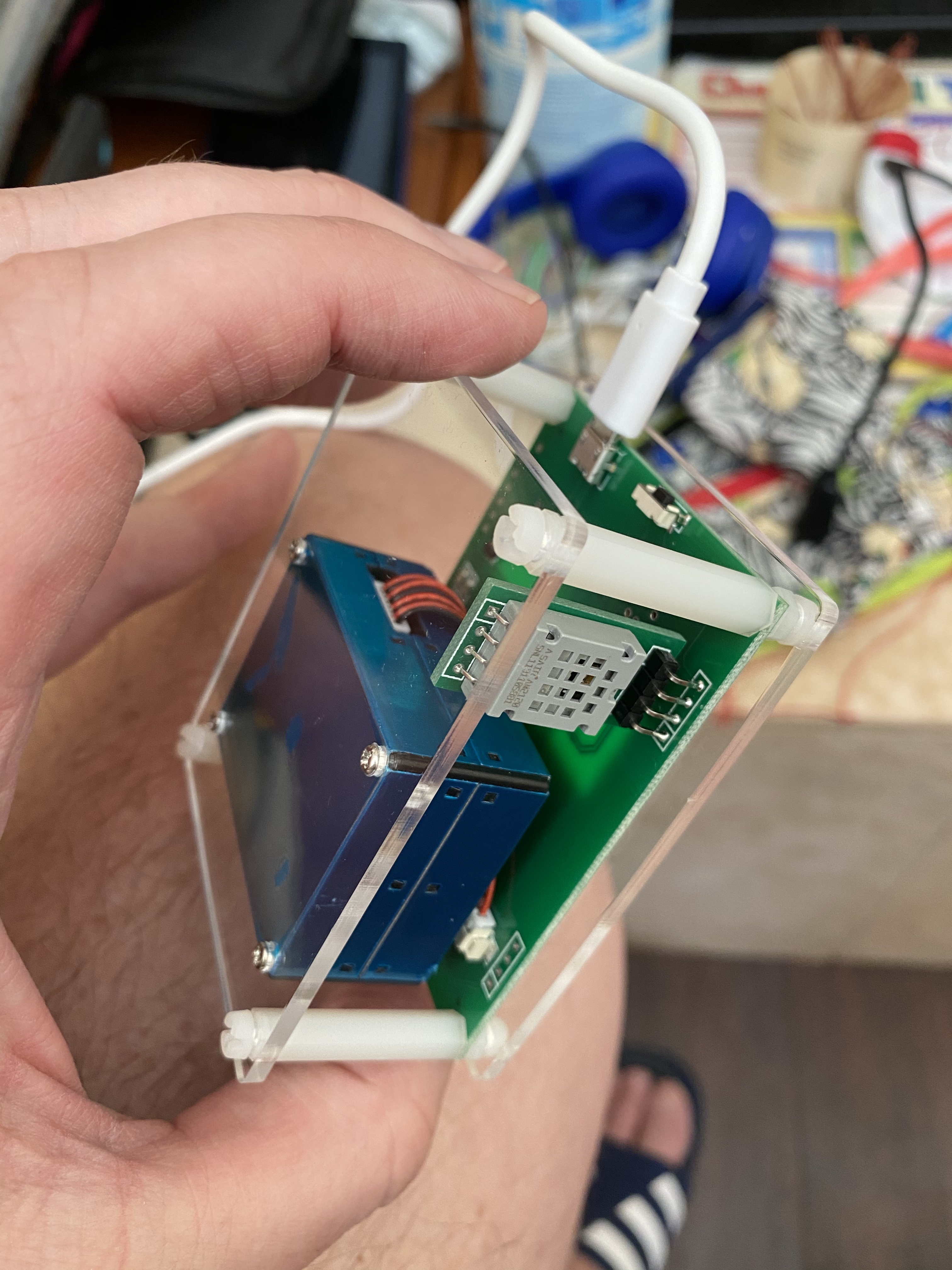
These are $38 on Banggood. It measures temperature, humidity and airborne particulates. Laser light scattering technique, the same as in my more expensive Purple Air I wrote about previously. These are display only, two screens, no connectivity but perhaps that’s all you need for something you place on a shelf.
Thanks to my friend Roger for finding these. I bought two and loaned one to our neighbor who promptly used it to check in vs out and verified his AC filters.
Neighbor readings
Anyway, it’s well made and cheap, so if you want one I say get it.
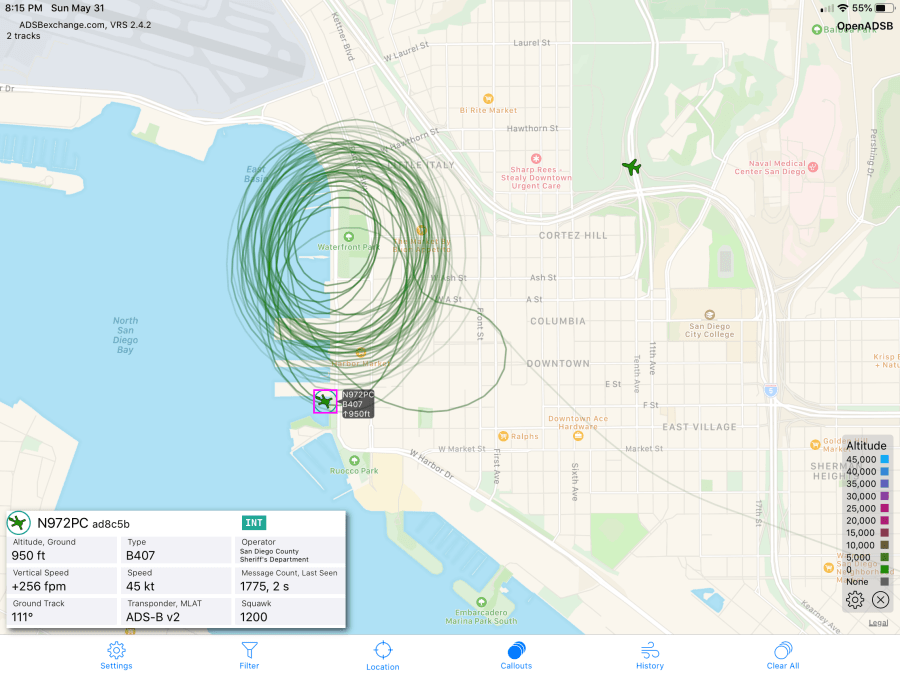
San Diego has so far escaped the worst of the 2020 police riots, but I’ve still been keeping an eye out. My primary tool for doing so is ADS-B aircraft broadcasts and the OpenADSB iOS app. Here are some sample traces, showing the police helicopters over the city:
It’s notable that the helicopter probably has unbelievably good cameras (gyro stabilizers with long zoom lenses are better than you think) and could well have infrared also. And yesterday, Timothy Shea brought in the DEA to surveill the protests too. That’s not just human intelligence and AT&T’s massive data; it’s also flying dirt boxes.
TL;DR – it mimics a cell tower and grabs the unique IDs from a phone. They can also intercept text messages and phone calls, and you should assume that they see all non-encrypted communications. All.
Yesterday, I saw this on the app:
That’s a Cessna 206, owned by the DEA, flying out of Montgomery field and meandering over San Diego. I should have gotten more screenshots, but it flew around for a while and followed the coastline north. I consider this high-probability that they’re flying dirtboxes over our cities and recording who’s at the protests.
Take action
If you go to a protest, read this EFF guide before leaving home.
If you need a device, consider this one (I got one for Android testing and projects and it’s excellent). Strongly consider not installing a SIM card in it. That flying dirtbox will grab it and link you to it via the cell providers’ database of who’s paying for the account. Maybe keep the SIM card taped to the phone for an emergency or later call?
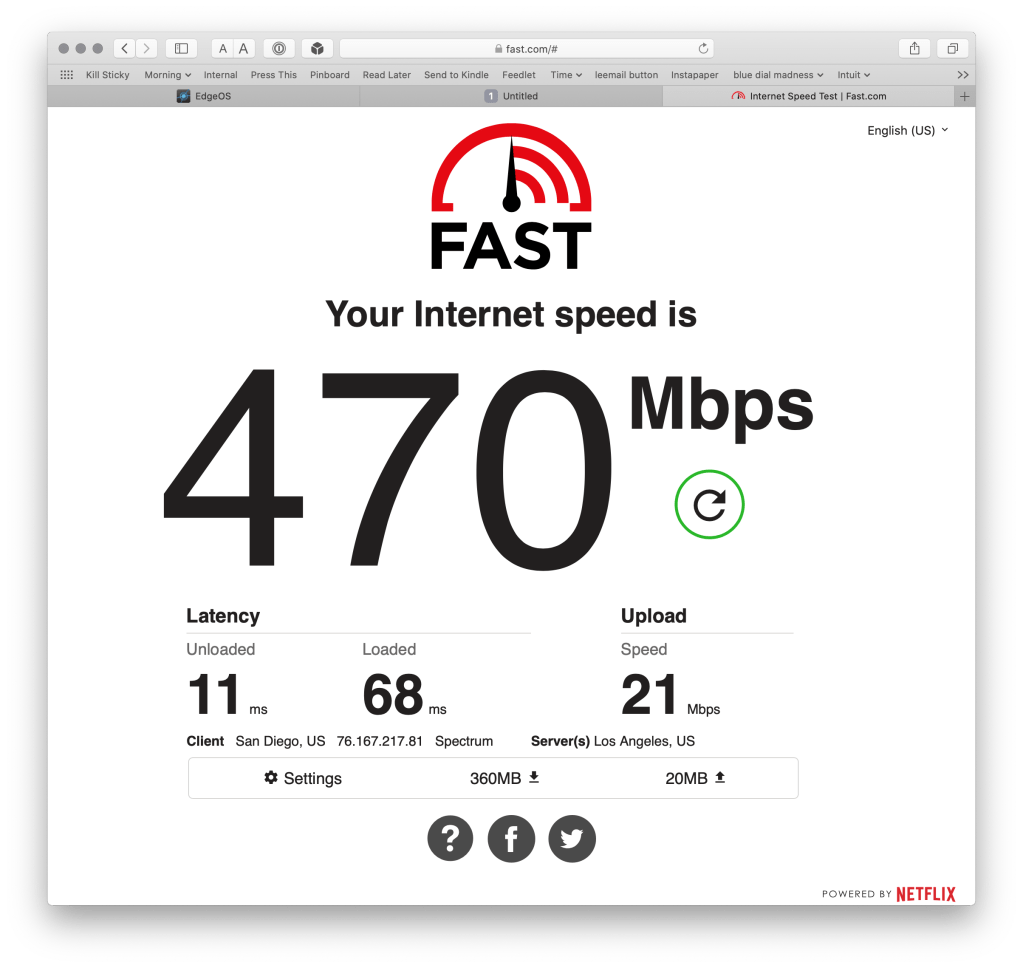
Maybe it was getting old, or maybe the much-increased traffic from pandemic WFH caused problems, but for whatever reason our Spectrum-provided cable modem has been a problem. I’ve had to power cycle it a few times to clear slowdowns. Symptoms – speed tests dropped down to under 10 megabits, and on reboot would rebound to over 200. (We’re paying for 400/25 and seem to be provisioned for faster.)
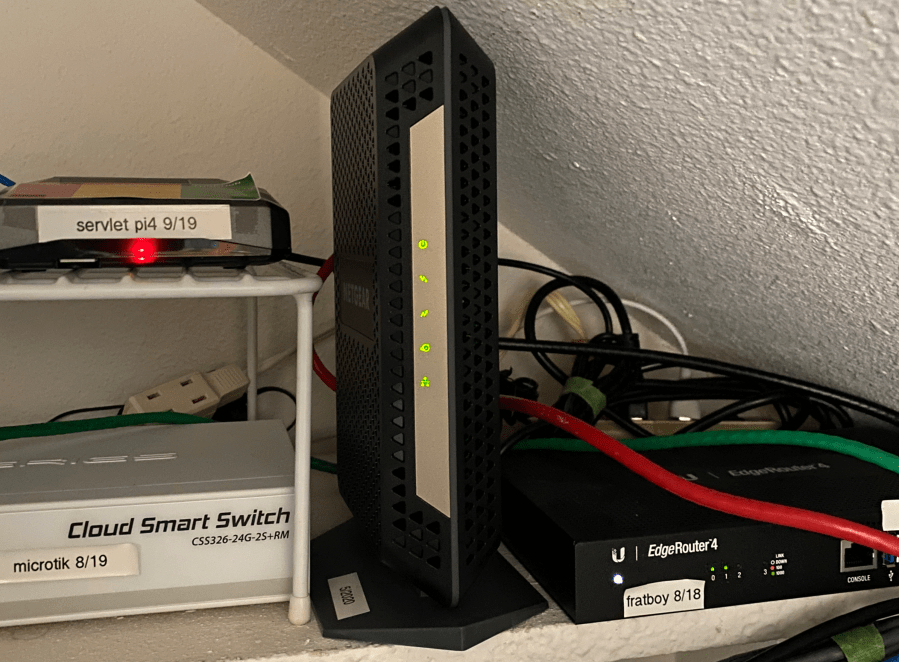
Having seen similar problems before, I first narrowed the suspects down by power cycling the (apple) access point and (Mikrotic) backbone switch and (ER-4) router; none sufficed but a modem cycle did. I found the Spectrum supported modems page, did some research and bought the Netgear CM1000v2 direct from the manufacturer and installed it today.
Install was painless. I called Spectrum’s activation line (877-309-5869) and waited for a callback. The tech took the MAC address, waited patiently for the power, sent down an activation packet and waited for reboot and DHCP to the router. Easiest install I’ve ever had with any ISP!
Now things are back at line speed and I’m a lot happier. I’m spending hours a day on Zoom and BlueJeans and now Google Meet, so fast and reliable internet is rapidly becoming essential.
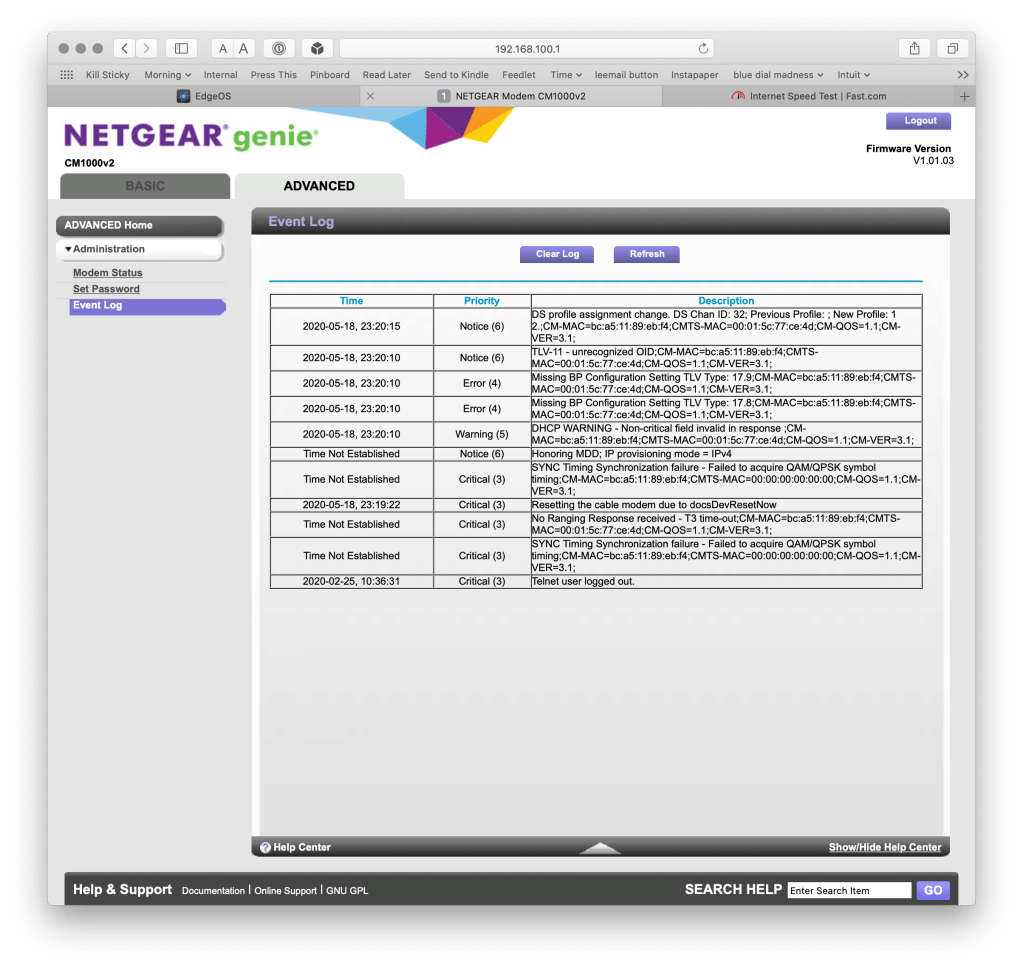
fast.com is a great testAdmin interface is basic
The CM1000v2 isn’t their fastest – they have ones that can gang 2 or 4 gigabit ports together. I decided not to bother, as 1G is the max available locally and going faster than that would cascade to needing a new router and possibly multipoint wireless. I’ll wait.
New gear
I considered the other supported modems, but the Arris ones ran hot and some had the problematic Intel Puma chipset; hard pass. Do your research if you’re thinking of buying an Arris SB8200 Rev 4 or Arris SBG8300.
Consequence two: The people behind the cheap and awesome WiFi webcam brand Wyze have written custom firmware to convert a wireless security camera into a very decent USB 1080p webcam. And it’s free.
Hardware requirements
Wyze webcam v2 – vendor, or Amazon. $26 bucks as of today.
8GB or so micro SD card. You might have one around if you use Raspberry Pi. I bought this two-pack of overkill 32GB cards, since that’s a useful size for Pi project. $14.
USB3 A to A cable. These are unusual and I had to order one. I bought a two pack so I can have a spare. $12, and cheaper versions exist. Note that your computer needs to have a USB3 port with an A plug – I’m using the one on my LG monitor.
Flash the firmware
Instructions are here on their site – TL;DR is to unzip the download and copy demo.bin into the root directory. Power up holding reset for five seconds. Pretty do-able even for the less technical.
Results
There are two Wyze cameras, basic or a $35 pan/tilt/zoom. I already had two of each, because at $20 to $35 each, they’re in my hobby budget and have been delighted with ’em. I chose the base camera as I see no use for PTZ.
Here’s the built-in webcam from my MacBook. It’s the 2018 15″ model, my work computer.
Now here’s the Wyze:
Color is a bit off, but resolution is a huge amount better. it’s also wide-angle, with strong curvature at the edges.
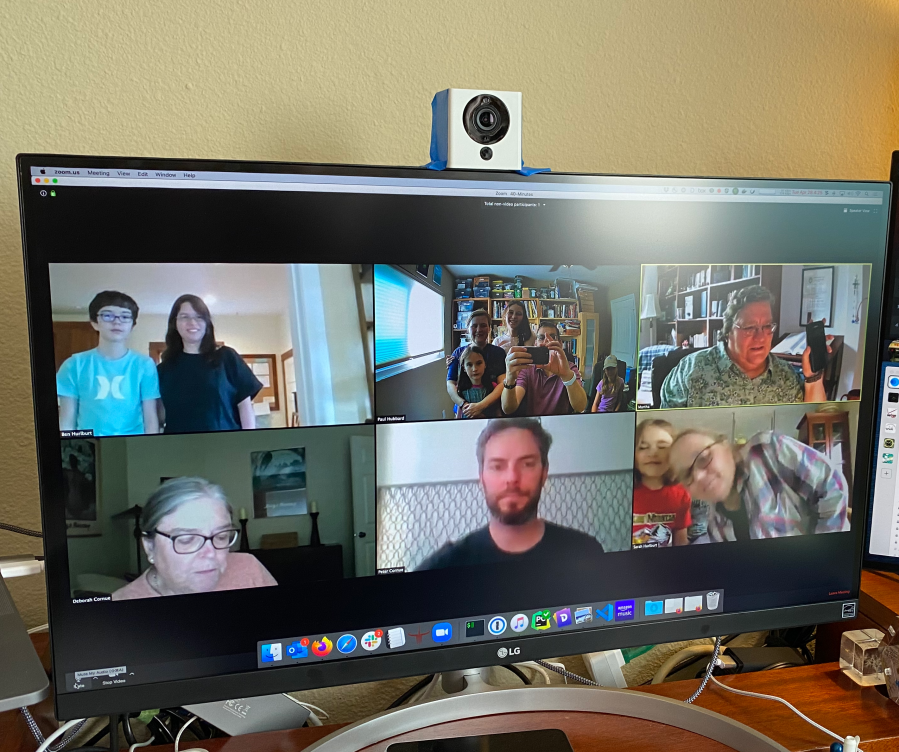
I was just in time for a Zoom birthday party.
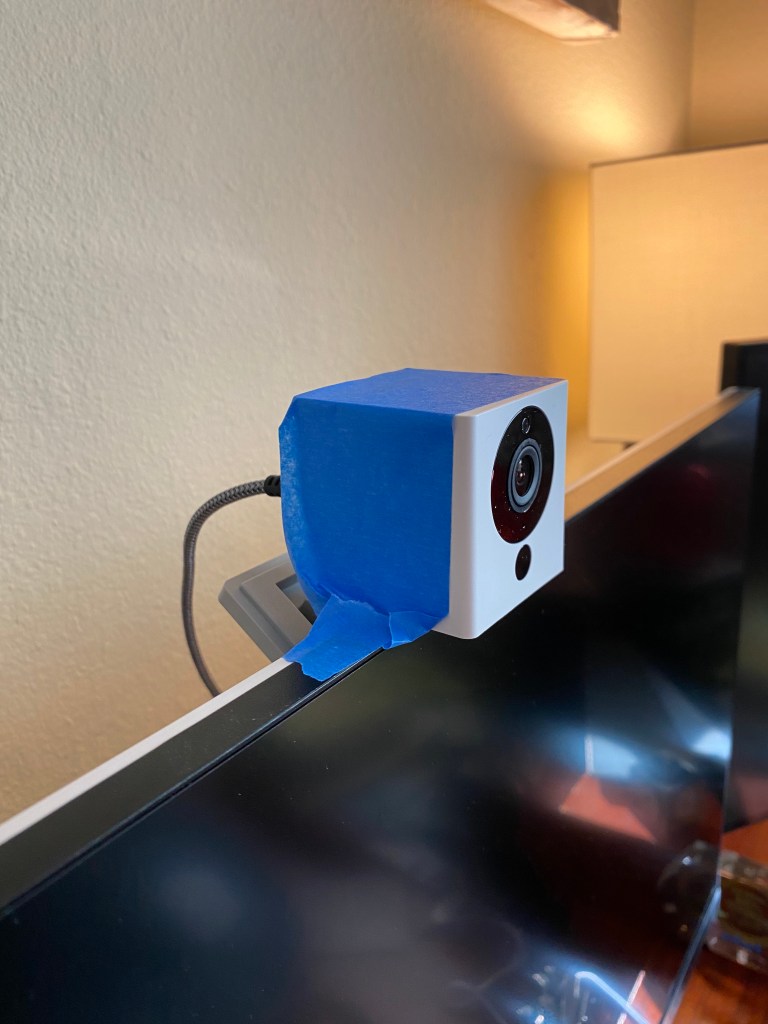
Why yes, my family does look sharper than everyone else. And wide angle was perfect for this use. Sometimes you get lucky. You can kinda see my low-rent mounting:
I’ll leave it that way for now, as it makes it quick to move around and try other lighting.
Overall – recommended. Pretty cheap, the parts are versatile, and when this ends you just re-flash the camera to get back to a nice smart camera/IoT device.
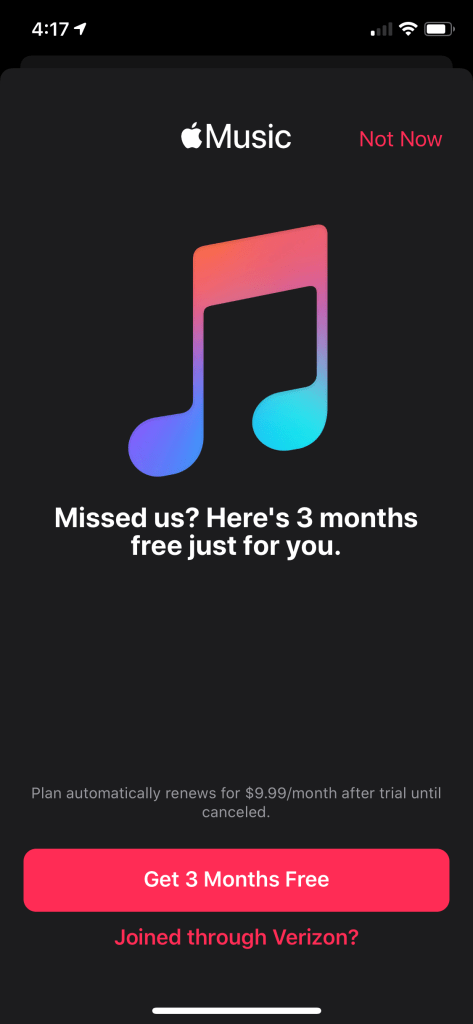
Apple Music on iOS has turned into a ad-infested shitshow of dodgy UX patterns that verge on deceptive; where the big obvious click signs you up to become a positive number on some Apple ARPU dashboard.
This sucks. Quite a lot. You literally cannot be rid of this incessant upsell bullshit. Fucking Apple, I pay a premium to avoid this shit.
My current solution is OK but has limitations – the paid iOS app ‘Cesium’. Two bucks on the App Store. Reliable, no ads, none of the upsells and I’m a happy customer. It can’t download music, bummer, and I’ve not tried the playlist editing but overall at least it works and doesn’t try to scam me out of more money.
Found via Hacker News – free and open source tracker and ad blocker, works on-device using VPN hooks. That means that it’ll block in apps as well as Safari. I’m trying it now. Note – they pay their bills with the subscription-billed VPN but you can decline that and just use the blocker. That’s what I’m trying.
The antimalarials are much in the news due to Covid-19, so here’s an actual expert who knows them well and can explain. TL;DR – they’re unlikely to be much help as treatment.
The author is Derek Lowe, long a favorite of mine for his “Things I won’t work with” series and I recommend him highly.














 ultracrepidarian