You should buy a Scurfa dive watch

TL;DR

It’s sold at cost and you literally and actually cannot buy a more legit dive watch. $268 at your door.

Framing the narrative

Back when diving was dangerous and new, companies like Comex and militaries like the French navy commissioned then-new watches to be used for measuring elapsed dive time. Advances in materials and design produced watches durable and legible enough, which combined with the cool factor of diving, led in short order to them being style icons. Back then, a professional diver could and often did buy a Rolex Sea-Dweller and actually use it as intended.

Rolexes and Blancpain and even Seiko have become luxury now, Veblen goods recast in gold and silver as high-status male jewelry. Behold the latest incarnation of the pro-diver Sea-Dweller:

Two-tone rolex sea dweller.

Though diving is now unglamorous blue collar work, there are still divers who need watches and can’t afford sixteen thousand USD. One of them is named Paul Scurfield, and he spends 28 days at a time in a diving vessel, over a hundred meters below the surface of the North Sea:

Having first been made for divers and support staff who were left without a watch when the value of their vintage Rolex diving watches exploded leaving them the option of a large windfall or too self conscious of wearing such a valuable item in a hostile workplace, Paul Scurfield watch enthusiast and saturation diver tried to fill the void with a few affordable watches built to a high standard using the best materials.

https://www.scurfawatches.com/history

Divers working in the North Sea are made up in teams of three and on any working dive you have a diver 1, diver 2 and the bellman, diver 1 controls the dive and this is where the name for the watches come from, diver 2 is there to make his job easier, the bellman tends the divers from the diving bell and the divers work in the water for a maximum six hours, a normal saturation diving system will house four teams of three divers covering the full twenty four hours of the working day stopping only for bad weather or crew changes, the work period for the divers is 28 days including decompression.

So we have a day-job pro diver who designed a watch for himself and his co-workers. This was his first one:

Picture from Scurfa

I learned about the brand from Jason Heaton’s review on Gear Patrol. At the time, I was intrigued but not enough to buy. Of late, however, I’ve rediscovered the virtues of a good quartz watch, so I was open to the idea, and then via WatchUSeek I saw this:
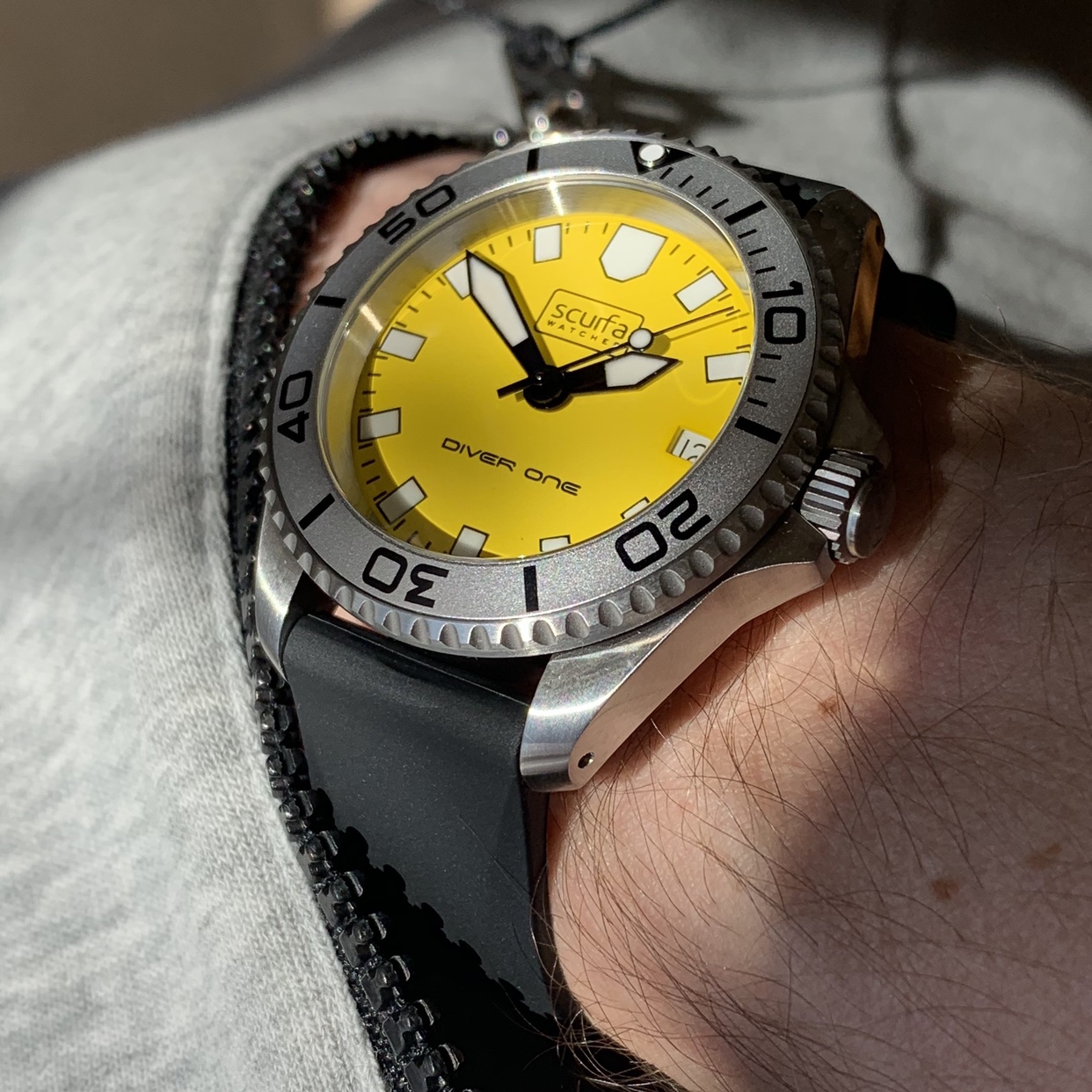
Picture Scurfa via WUS: https://forums.watchuseek.com/f74/diver-one-d1-500-yellow-available-now-4933985.html

That yellow… I like it a lot. My first mechanical watch was a Seiko SKXA035, and I’ve missed the yellow since I sold it.

Specifications

  • Model: Diver One DI-500 Yellow
  • Case 40mm by 47.7mm by 14.4mm, 20mm drilled lugs
  • 7mm threaded crown, 120-click steel bezel with aluminum insert. His earlier models had ceramic bezels, but he found that he, co-workers and customers were breaking them, so he’s gone to more resilient aluminum bezels.
  • Water resistant to 500m
  • Spring-based helium escape valve at nine, tested by Paul Scurfield down to 154m with multiple gases mixes. How’s that for legit? Usually escape valves are poseur…
  • Domed sapphire crystal with inner anti-reflective coating.
  • Ronda 715 movement, in the Swiss made grade, gold plated, 5 jewels, 60 month battery life with stutter-second end of life indicator. Rated -10/+20s per month. The movement has a cheaper version (non Swiss made), which you can see torn down here.

Normally I talk price at the end of a writeup, but this watch is extraordinary. Talk about burying the lede – in the middle of their history page is this bombshell:

I would like to thank all the customers of Scurfa Watches for helping us grow and be able to invest in new models, We have taken no money for ourselves and we are not looking to sell tens of thousands of watches only as many as Alison and I can handle, we turn down shops and outlets on a daily basis and think it’s too early for magazines so we turn them down as well.

https://www.scurfawatches.com/history

Yeah, these are sold at cost. Buy one while you can, because sooner or later they’ll want or need to turn a profit; until then their prices are astonishingly low. Shipped 2-day DHL prices are:

  • 230UKP in the UK
  • 242UKP in Europe
  • 207.3UKP non-VAT.

So mine in April 2019 was $267.22 delivered. Holy crap that’s a great deal!

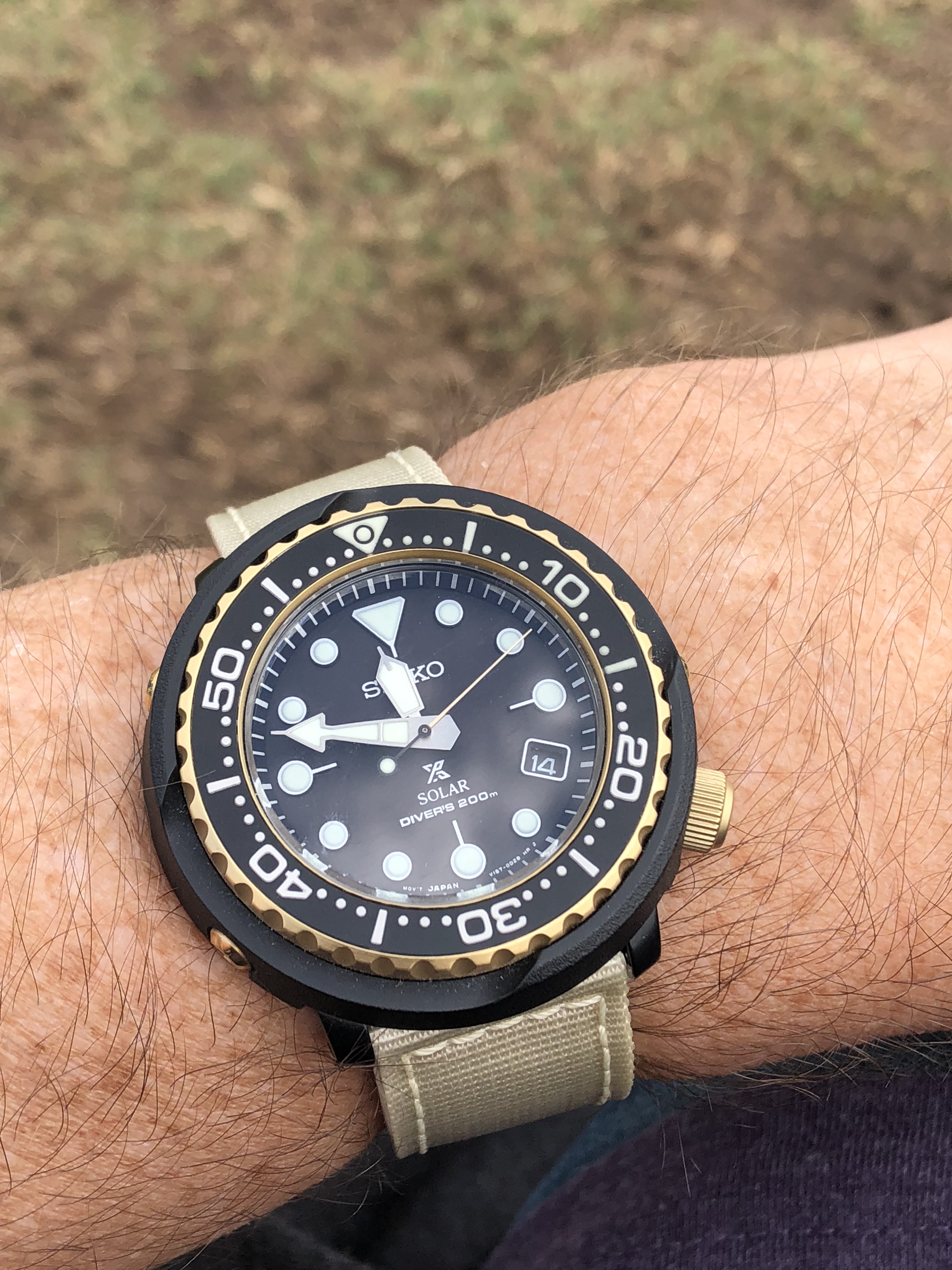
It wears quite well; 40mm is a great size and 20mm drilled lugs mean a plethora of strap options. There’s no bracelet yet, but one is promised and until then I’m enjoying trying it on a variety of straps that I’ve already got.

Factory black strap

The yellow makes me smile. If you don’t agree, there are several other dial and hand color combinations for sale at the same price.
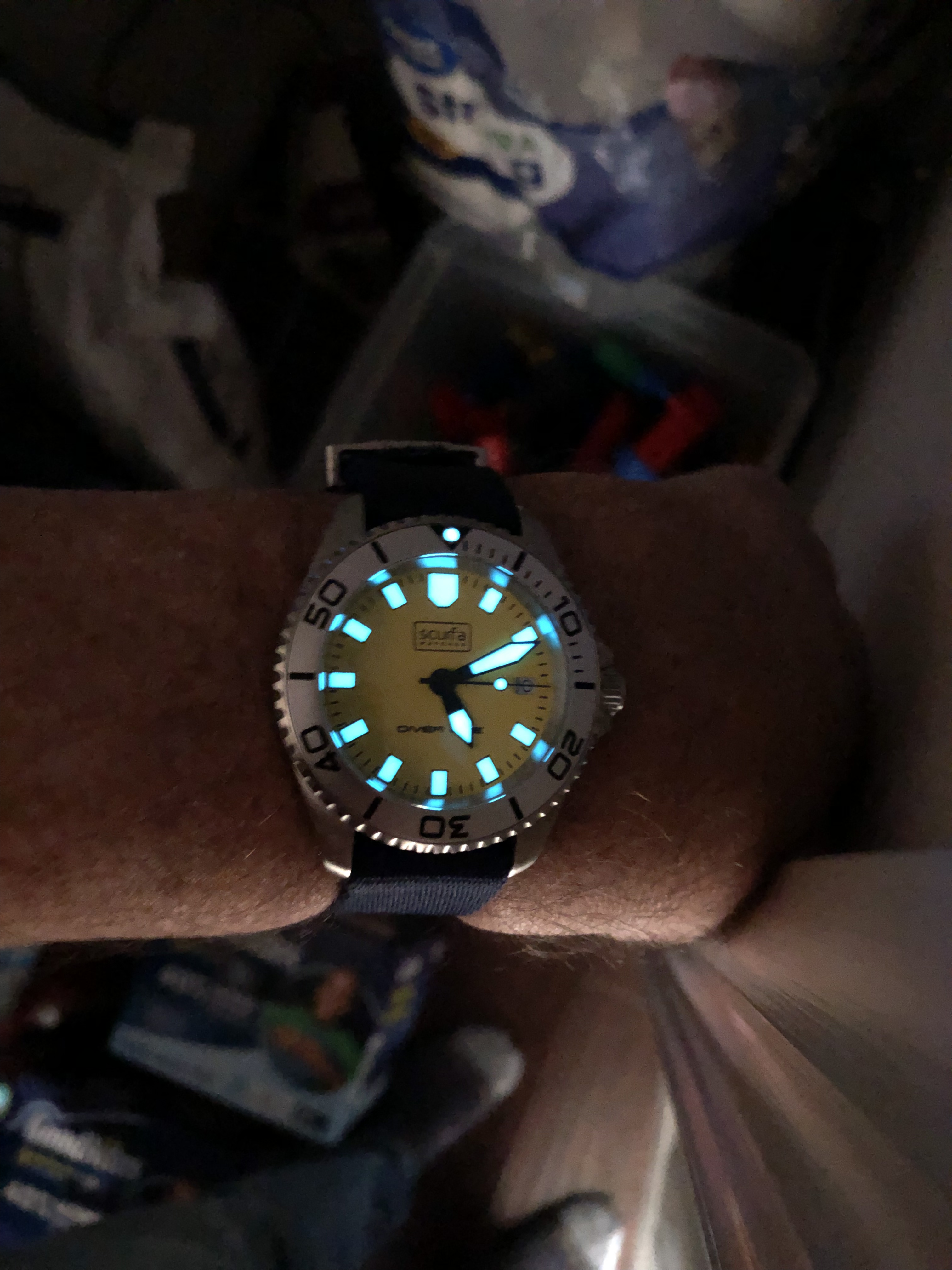
Lume is, of course, excellent, in BGW9 white/blue.

DI-500 movement, picture Scurfa

Timekeeping is well within spec, though mine doesn’t hit all of the seconds marks between about 35 to 50 seconds. Ahh well. It’s a solid movement, and I like the 5 year battery and that the EOL feature will stutter the second hand a few months before it dies, so that I’m not left with a surprise dead watch.

And for the price I’m fine thrashing it hard – that’s less than my recent Seiko diver cost. I love my OWC but this is so much cheaper I’ll keep both. If you want mechanical, he makes the Bell Diver with a Miyota 9015 for a bit more, see a review on ABtW here.

So there you are. This is a watch with a best-ever story, a non-profit price and superb functionality. You’ll probably never see anyone else wearing one either, so it’s super hipster in that sense and the antithesis of a luxury good too.

https://www.scurfawatches.com/diver-one-d1-500-yellow

Update 2-Sep-2019: The long-awaited Scurfa bracelets are now available, as I explained here you should go buy one; they’re about 60 bucks which is a typically excellent value.

The URL is https://www.scurfawatches.com/product/diver-one-20mm-bracelet-in-stainless-steel/

Quantified self

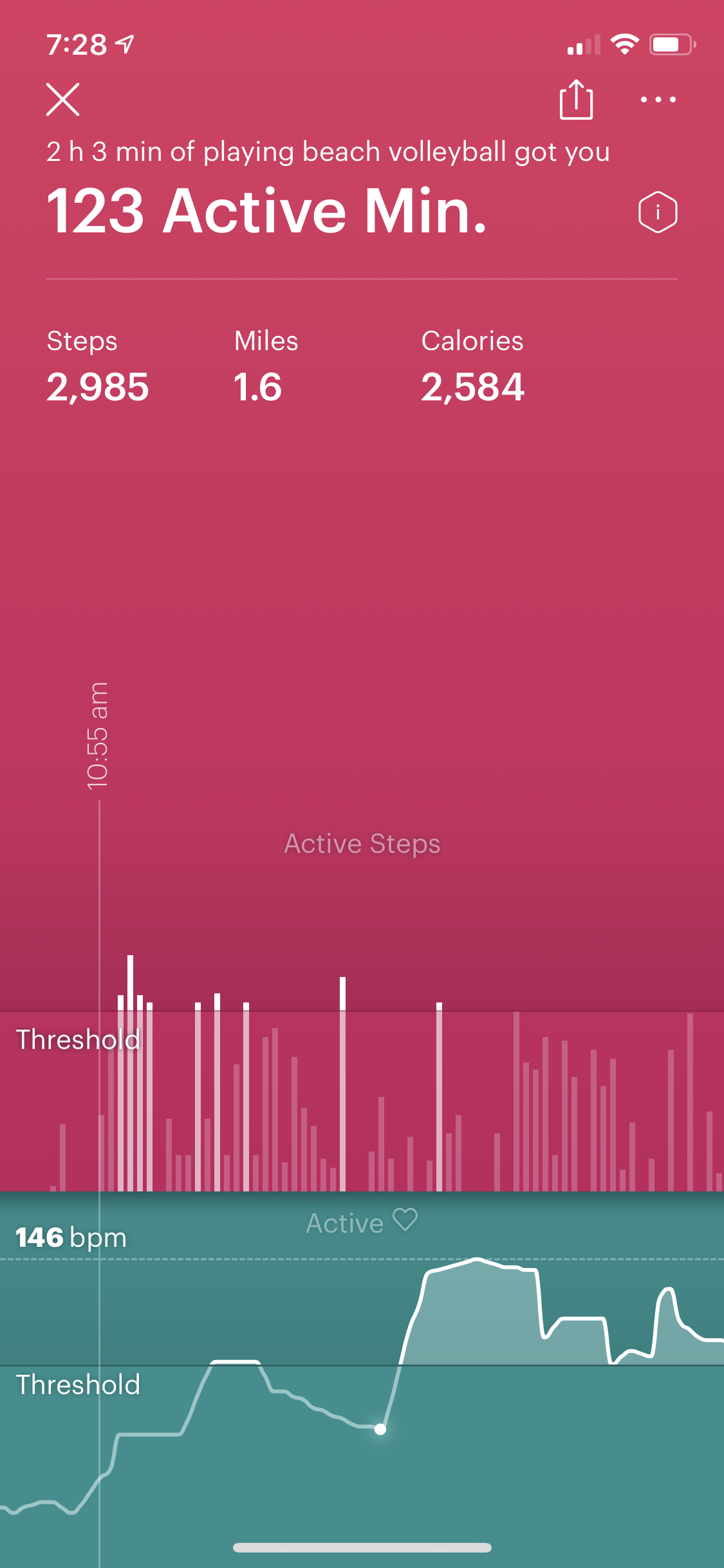
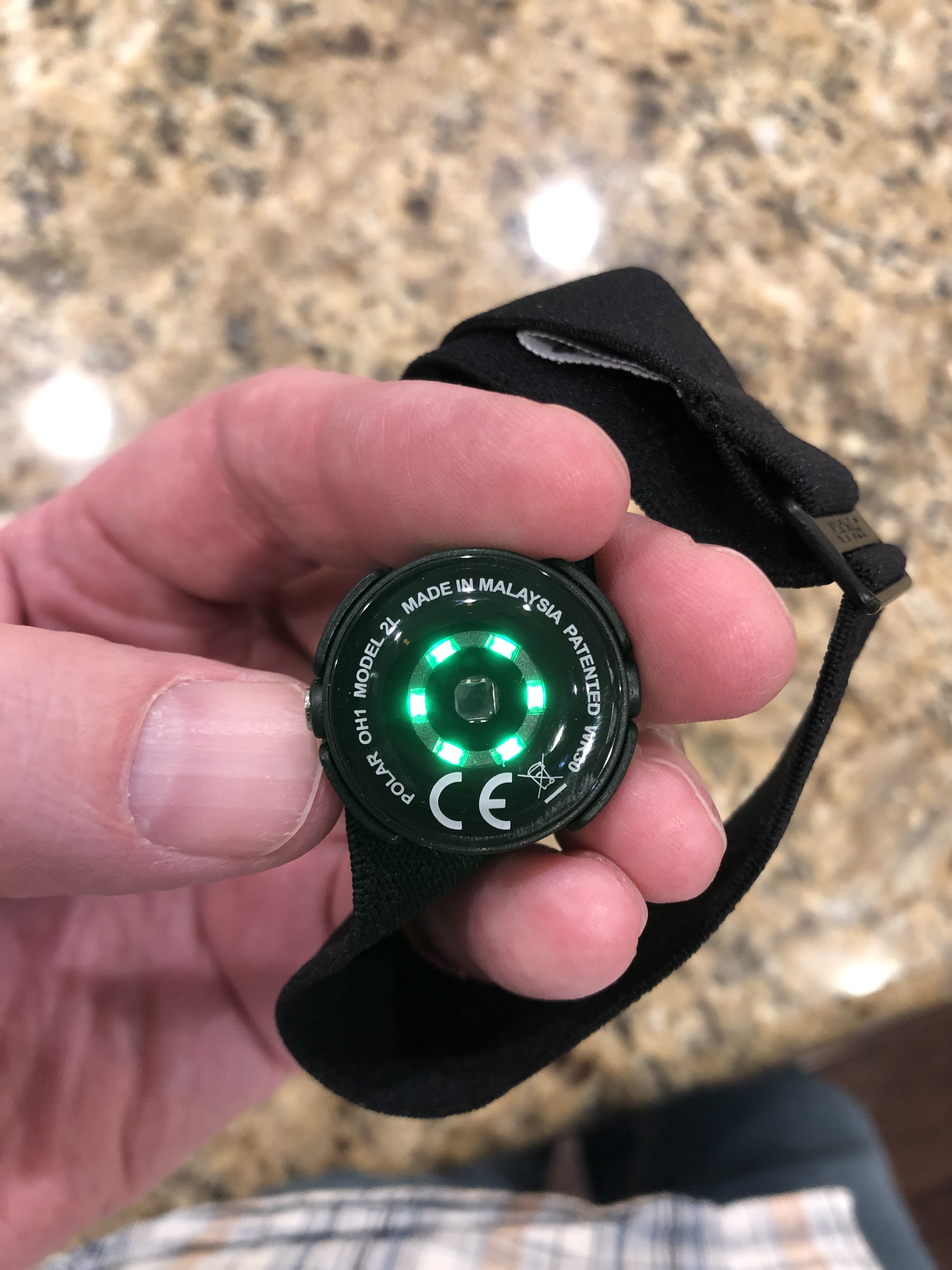
So I bought a heart rate sensor, the Polar OH1 Plus. (Based entirely on this epic review from DC Rainmaker.) I am curious about fitness and have been liking the 0.5Hz readings from the Motiv.

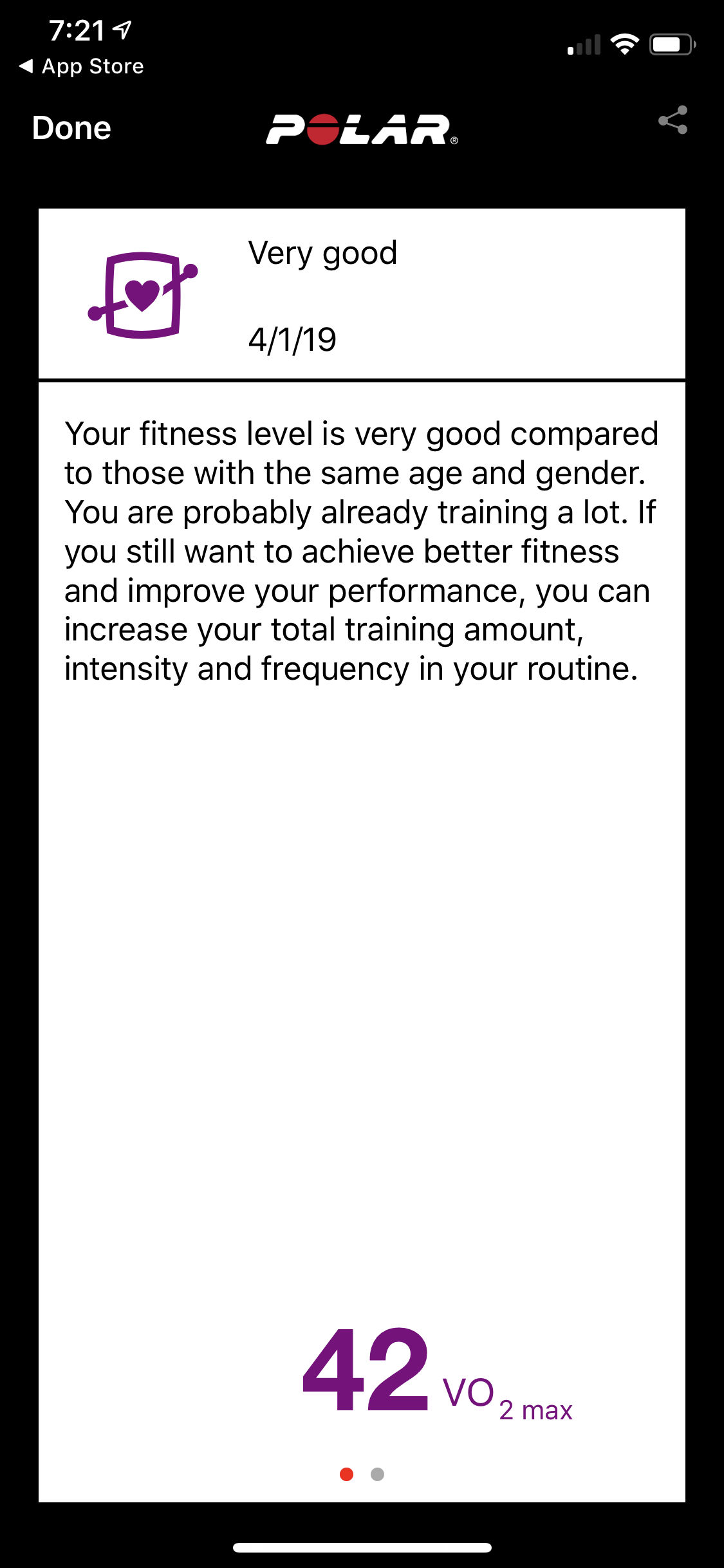
So this new one should provide better data. And it has a VO2 max fitness test, which of course I promptly took:

Yay me!

Sensor:

This week I’ll play more volleyball and see. I like that it’s cheap, accurate and works for all sports including swimming. And DCR like it too, and he’s a much better judge than I am, so consider the OH1+ recommended.

Get one from Amazon for $80 here.

OBD-II monitoring the Bolt

Three live readouts from my Bolt EV as seen in the EngineLink iOS app

Since I got the Bolt I’ve been looking for a way to view OBD-II data. For those who’ve not encountered it, OBD-II is a specification and connector; all vehicles since 1996 have it. (More at Wikipedia) The Bolt didn’t work with my copy of EngineLink, but… today it does!

The secret is this google docs spreadsheet.

It has the codes (secret decoder, literally) to let EngineLink understand what the numbers mean. So now I can create dashboards and monitors to my heart’s content.

You need hardware, mine is this one from Amazon, cost me $35:

Image credit: Amazon

More details on the spreadsheet, including how to do it on Android, links to other adapters and more. I love the internet sometimes!

Three good things

I had a good Christmas and wanted to share! First off, a Kickstarter that delivered on time, a really good Raspberry Pi case, the Argon ONE:

Assembled case

Here’s the back, showing the magnetic GPIO cover and rearranged port layout. Simple, clean and elegant.

You can get one via their Kickstarter page. It adds a shutdown/reboot circuit, temp-controlled fan, IR LED option, HDMI/audio redirect and a really nice aluminum enclosure with (as seen above) translucent window over the indicator lights. I put a Pi 3B+ into it and plan to collapse three single-purpose Pis onto it. (PiHole, Raven and AWS Greengrass). The cooling fan should help immensely, and the quad-core model 3 with 1GB of memory performs really well, leaving room for more code and projects.

I think I paid either $15 or $20 for it; even at $20 this is a great deal on a well-designed and well-made metal case. The additional cooling should also increase the reliability, lifetime and ability to handle compute loads. Highly recommended.

Echo wall clock

This is my favorite piece of Amazon hardware. It’s a $30 clock, driven by and synchronized with an Echo device using (probably) low-power Bluetooth. It comes with standard AA batteries, sets itself, carries no visible branding and has a spectacular peripheral array of LEDs to show timers:

That’s a 45 second timer counting down. Here’s what you see when I add a second timer – another LED at max brightness:

I’m a plodding cook; I have a few things I’ve learned and I rely heavily on timers for most of them. Having voice-set timers be visible is nice, because a) I can name them (‘oats’) and b) Chris won’t accidentally erase them when using the microwave. Yeah, that happened more than a few times since I used the microwaver timer as a second device.

The downsides of Alexa and Echo are well-known and I’ll not repeat them here, that said music and timers are very useful to me. Here’s the Amazon page for it.

HP multifunction from Costco

We’ve long had an incredible monochrome laser printer, the Brother HL2270DW, bought in 2011 and and running with zero problems for an incredible seven years. Duplex, compact in size, has WiFi/Ethernet/USB, well-priced toner cartridges and, with 24lb paper, jammed four times in seven years!

However, we wanted the ability to print color and, having long used and been burnt by inkjets, it had to be laser. Chris found this HP M281cdw at Costco and it’s worth sharing:

Improvements:

  • Built in support for AirPrint (iOS) and Chrome print (print from anywhere). I had a, you guessed it, Raspberry Pi running Chrome print before plus a desktop MacOS software app to provide AirPrint; this is simpler and works well.
  • Copier and scanner – low usage expected, but there if necessary.
  • 2.4 and 5GHz WiFi support
  • So-so price on refills – black is comparable to the Brother, but it should last a while.

I found a friend who can use the Brother, so it’ll keep cranking for someone else. The HP is a bit larger but so far working great.

It was on sale for around $250 and is now currently $320; still a good deal but you might bide your time for another sale.

Power

I like having ways to see and measure things. Here is my server build:

Here is a simple AC wattmeter showing its consumption:

And here’s the system in infrared showing hot spots:

Measure and don’t just guess. More on low power Linux to follow;).

Hardware for gigabit

As part of my series of posts on gigabit Internet connections I had a friend ask about hardware, which is currently spread across multiple posts. Here’s what I’m running with a bit of details for each item. I’ll go from the outermost layer inwards.

Guidelines and goals

All equipment must be low power.

No cooling fans.

Reliability is worth paying extra.

Modem and router

2018-09-25 16.25.23

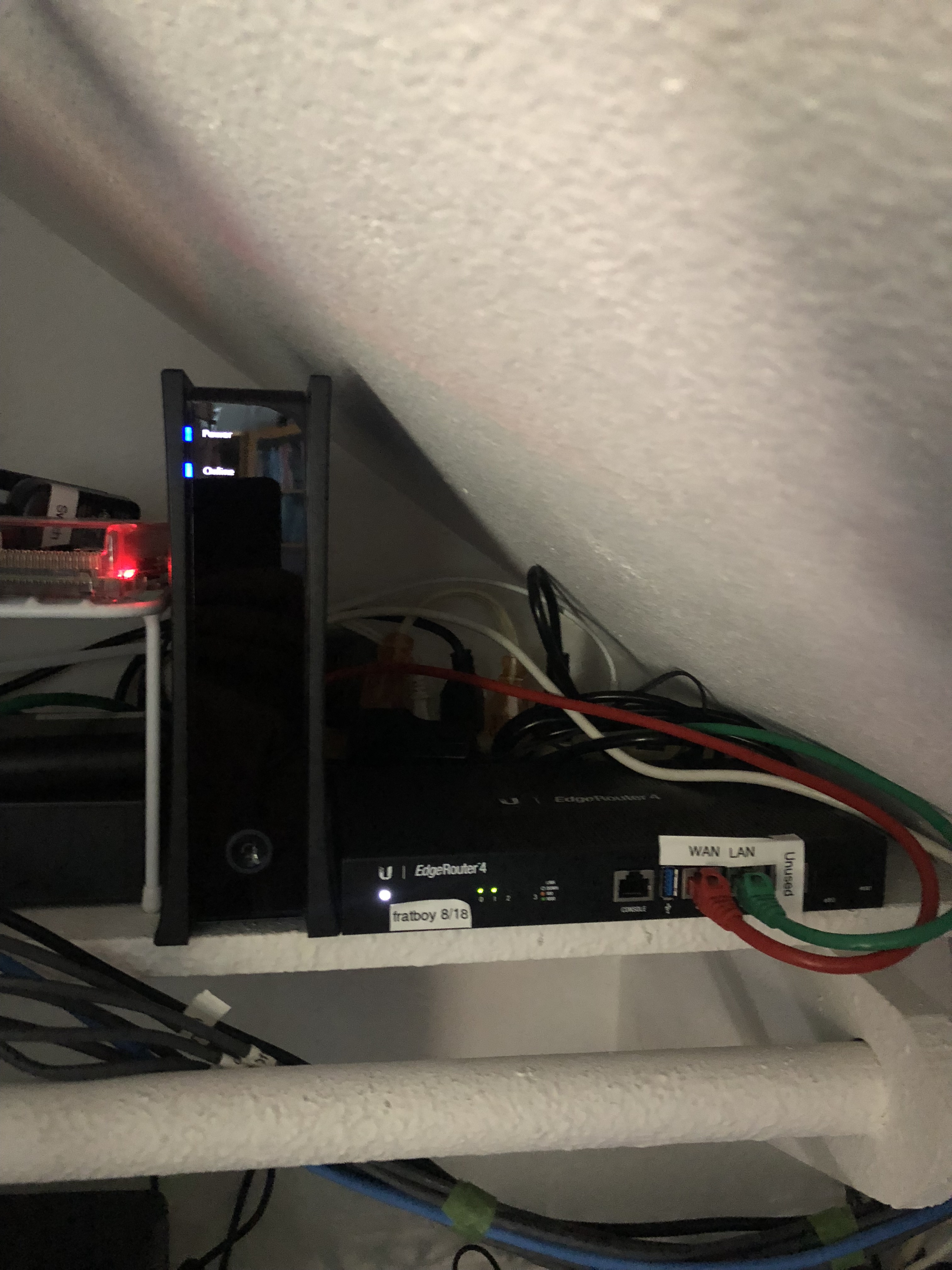
The modem is supplied by Spectrum, as their only approved model, and is DOCSIS 3.1. A bit bulky but low-power, reliable and delivering the promised speed. It’s linked via a short cable to my Ubiquiti ER-4 router/firewall. I had to upgrade from the ER-X as explained here, I wasn’t able to get line speed out of the ER-X and rather than fight that I upgraded to the ER-4. So far, it’s been great and I recommend it without hesitation.

Backbone switch

2018-09-25 16.25.18

I wanted a backbone that’d handle lots of load, give me the ability to monitor/tweak, and generally be awesome. For an ethernet switch, that means

  1. Fully non-blocking; i.e. handle 100% traffic, bidirectionally, across all ports.
  2. Managed, with a web interface
  3. Media ports so I can add fiber if necessary

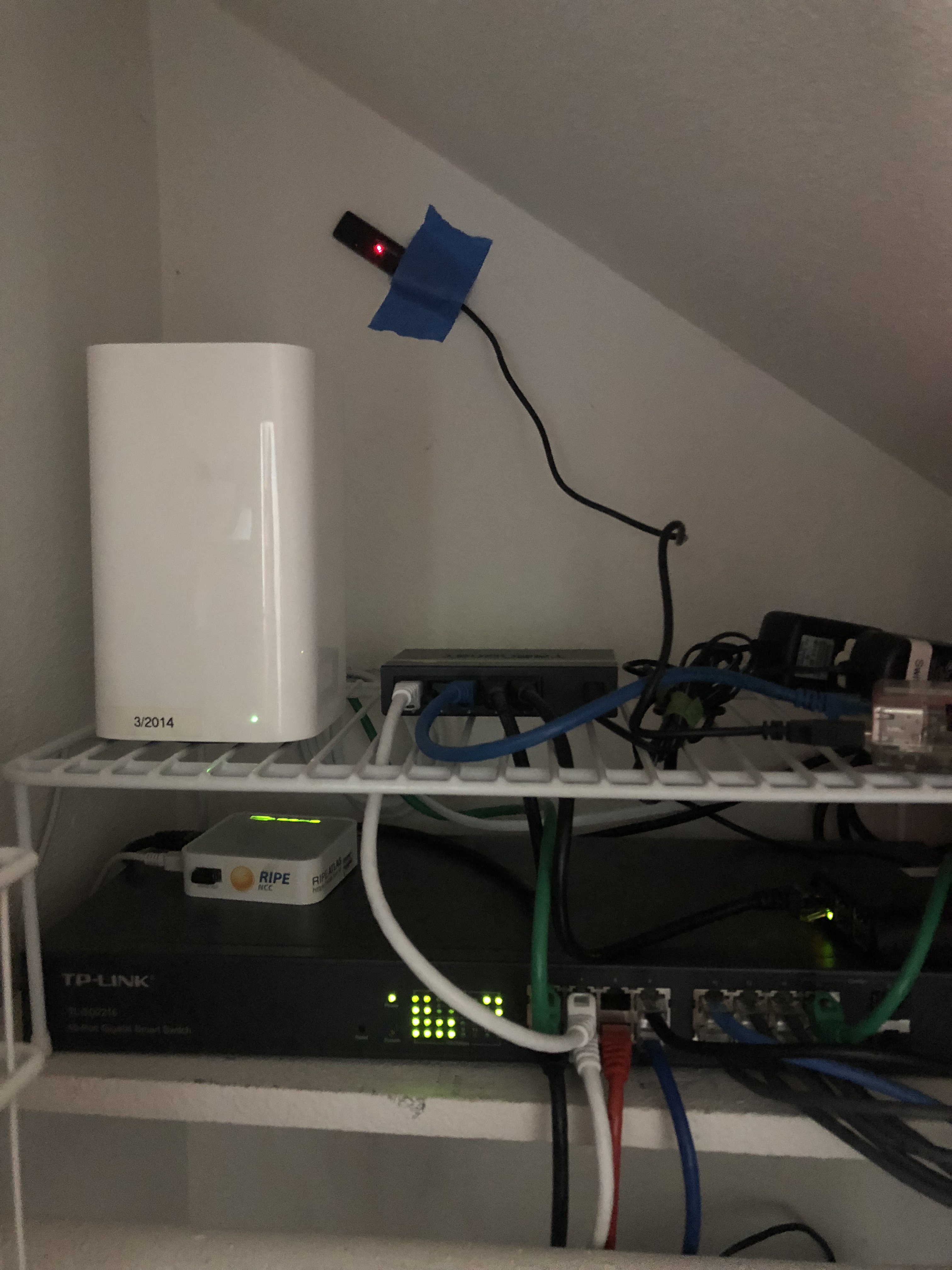
I bought the TP-Link TL-SG2216 which is a 16 port version; you can get more ports in the same switch. It’s been a good choice, right now I’ve got some bug with SSL on the web interface but the switch and SNMP have been flawless. I should have paid for more ports; if you squint at the picture you can see a 5-port dumb switch I had to daisy chain in to add more ports. Ahh well.

WiFi

I have had much better luck using access points as opposed to all-in-one, so I use and recommend that. In my case, that’s the no longer sold Apple AirPort Extreme 802.11ac in access point mode. I disable disk sharing, DHCP, etc, etc and it runs for months and months with no problem. Note that I have very heavy usage, with upwards of 50 clients ranging from laptops, IoT, phones, tablets, etc, so the split AP/router configuration should also work for small biz or advanced home networks too.

A bit more detail about Wi-Fi Gigabit internet, the WiFi link.

DHCP and DNS

2018-09-25 16.25.31

That’s my four-drive Synology DS416play. It’s a drive server, basically, but Synology makes great software so I also run other services on it that I used to host on Debian:

  • Local DNS and forwarding. I can resolve internal hostnames and also forward to 1.1.1.1 and 9.9.9.9 resolvers.
  • DHCP server – hand out permanent and dynamic IPs on my class C subnet.
  • TimeMachine and NFS backup, then mirrored to Amazon Drive for off-site backups.

It’s a great little machine and my second Synology. Quiet, reliable and fast – I run the dual gigabit links to the switch and use the bridged mode, so I’ve got ~200MB/sec available.

Pi Hole ad blocker

I mentioned this in Staying sane and well-read with tab sets ad blocking and RSS – I adore this thing! I use a gen-1 pi for hardware and it provides DNS-level ad filtering for every device on the network.

Note that the DHCP server on the NAS gives out the Pi-hole’s IP as the DNS server to use, and the Pi-Hole is setup to use the NAS as its upstream. That way you get ad blocking plus local resolution. Takes a bit to configure that way but the results are excellent.

Battery backup

2018-09-25 16.25.09

After an outage I added the APC Back-UPS Pro BR1500G and external battery pack. Since the entire set of hardware uses 65 watts, this provides around 300 minutes of power, more than enough to keep running and nicely avoiding server problems due to the short 1-second glitches that I see about once a week.

A good argument for fast Internet…

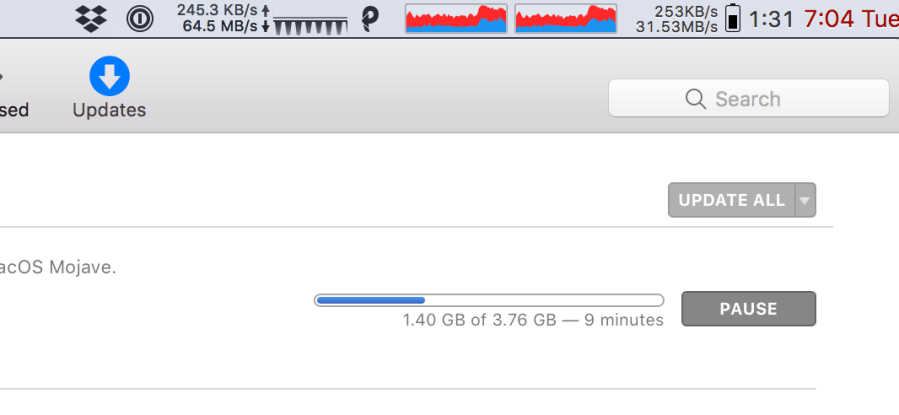
The latest batch of Mac and iOS updates came out this week, and at 1 to 4GB per device, they will load your internet:

Screenshot 2018-09-18 19.04.36

xcode alone is a staggering 3.76GB… damn.

Screenshot 2018-09-18 19.04.56

The two meters are iStatMenus and PeakHour, both paid and both worth your money. You’re seeing the difference in time durations, so PeakHour is showing 64.5MB/sec and iStatMenus is measurig 31.53. The PeakHour measurement is queried from the SNMP counters in the the router. Here’s the full PeakHour setup:

Screenshot 2018-09-18 19.12.37

I have it setup to query the NAS, the router and the managed switch. I mean, why the heck not?