
Desaturated orange Barton band – I love this color.
ultracrepidarian: a person who criticizes, judges, or gives advice outside the area of his or her expertise.

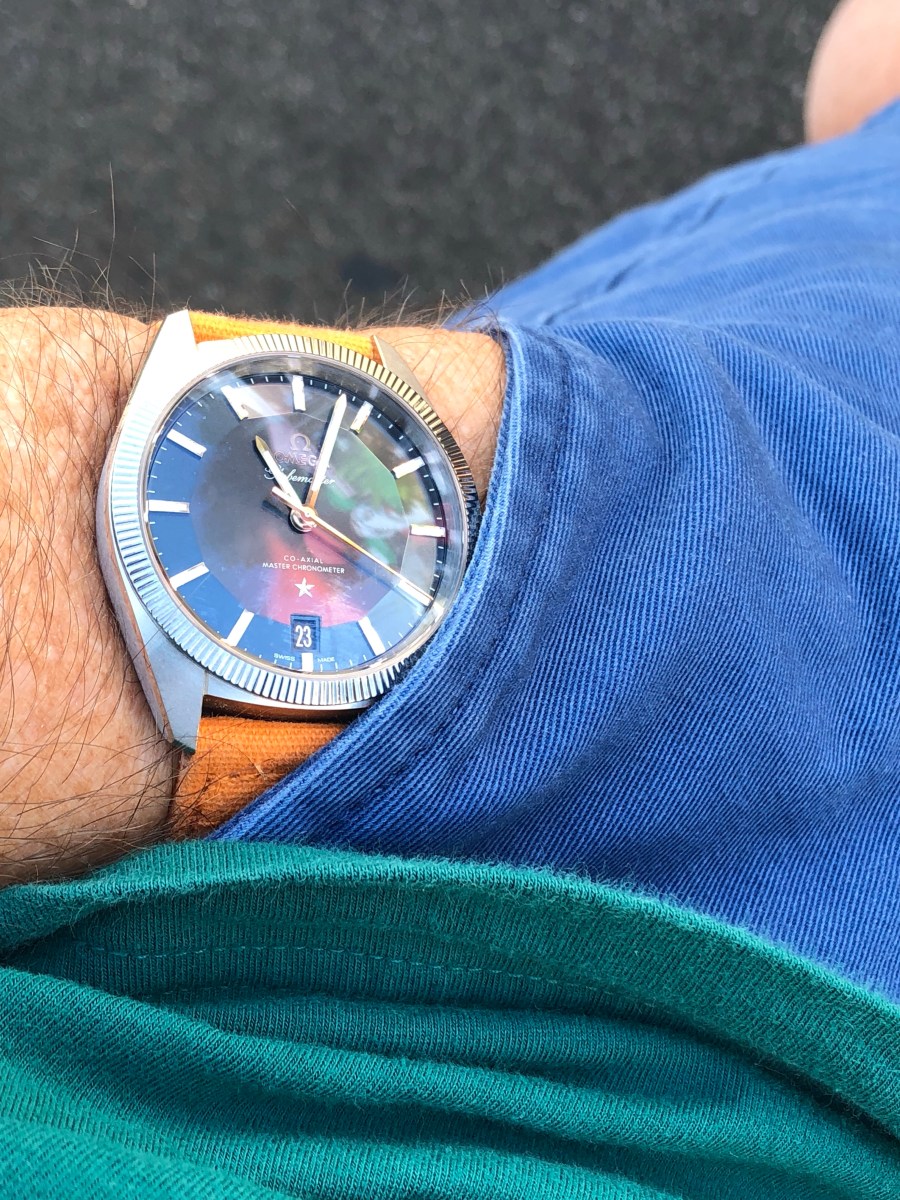
Desaturated orange Barton band – I love this color.

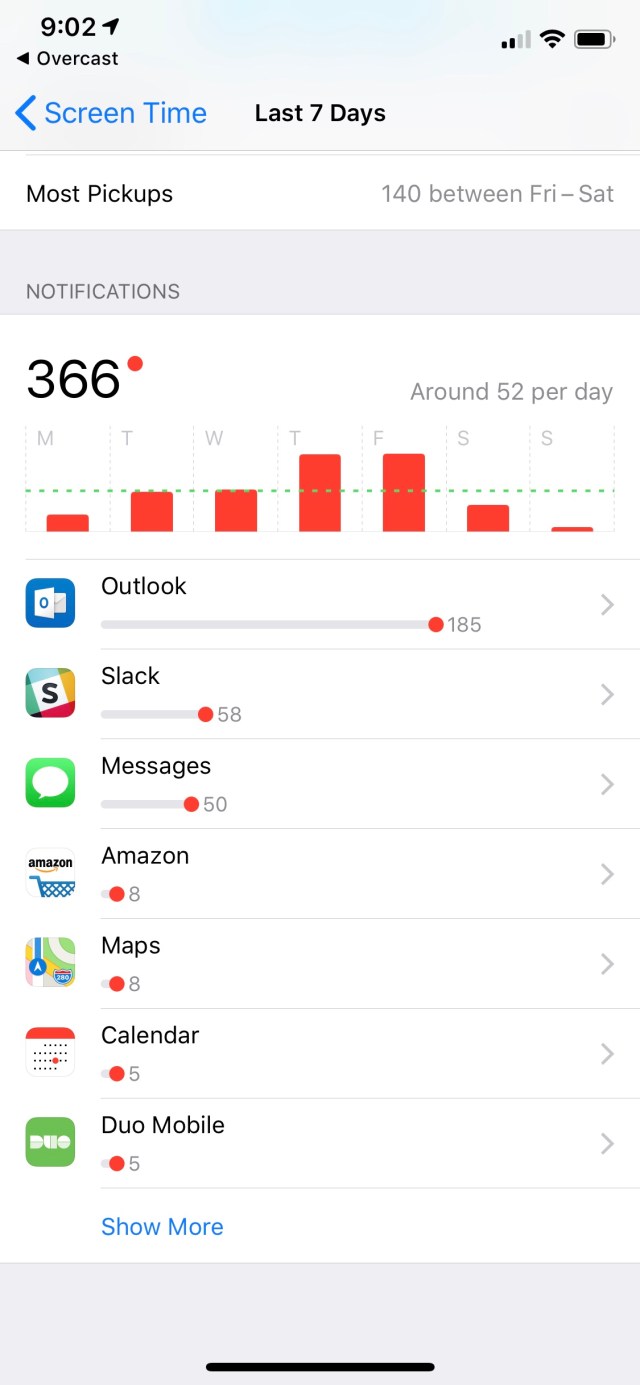
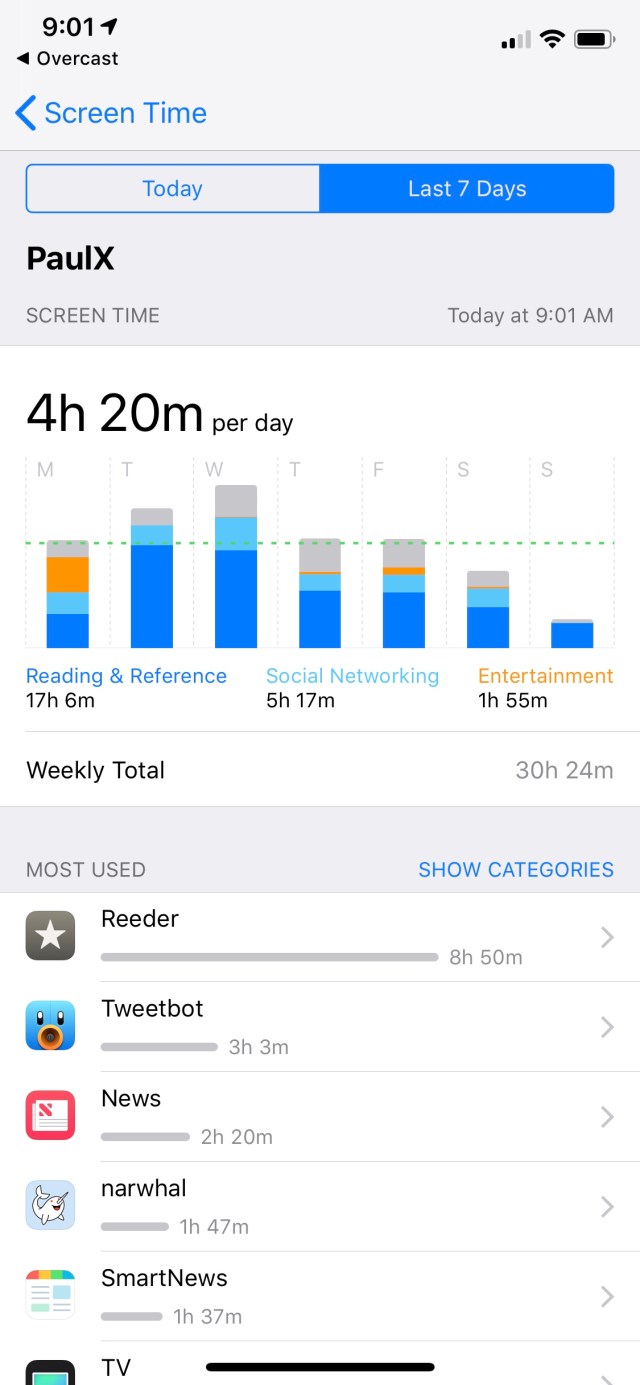
No big surprises. I heart RSS and use Reddit and Twitter for entertainment.
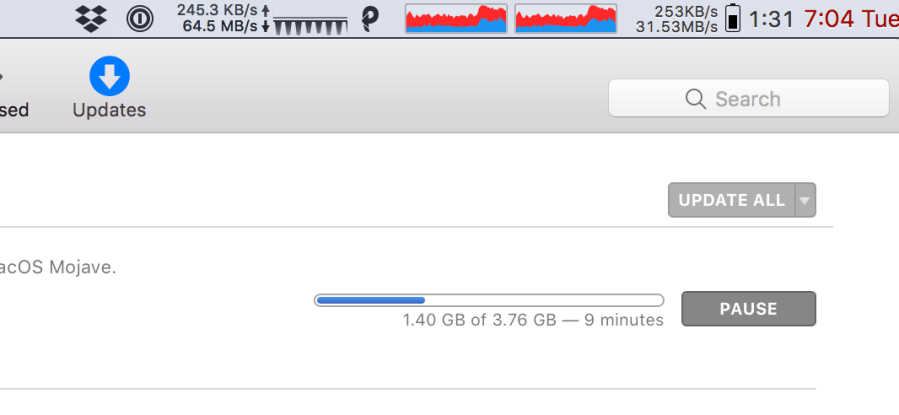
The latest batch of Mac and iOS updates came out this week, and at 1 to 4GB per device, they will load your internet:

xcode alone is a staggering 3.76GB… damn.

The two meters are iStatMenus and PeakHour, both paid and both worth your money. You’re seeing the difference in time durations, so PeakHour is showing 64.5MB/sec and iStatMenus is measurig 31.53. The PeakHour measurement is queried from the SNMP counters in the the router. Here’s the full PeakHour setup:

I have it setup to query the NAS, the router and the managed switch. I mean, why the heck not?

After watching this very cool video I went shopping for a UV camera. They are super rare, much harder to find than the infrared camera I got some time ago. I found the Sunscreenr for $80:
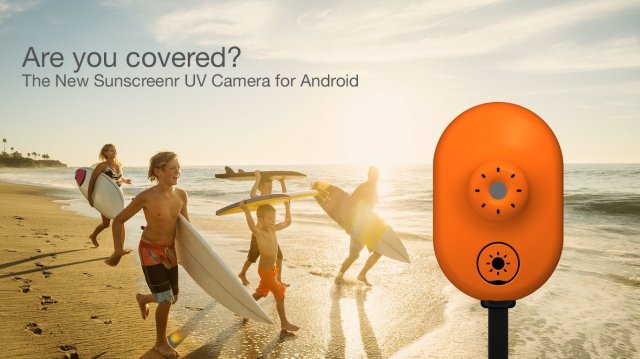
There seem to be, at present, none that are iOS compatible, so this was the best option that I could find. It’s took a while to find an Android device from the pile and get it working. (I had to buy a special USB OTG cable to connect my Yubikey for 2FA, really silly!) but its up and working, and friends, the world in UV is weird:


Things to note: My glasses reflecting and blocking UV (just like it says on the tin), skin damage seems more visible, and my light grey car looks almost black. The sky is grey and my daily face sunblock seems pretty good.
So far, it’s money well spent – I’ve already used it as quality control on the kids’ application of sunblock. It’s a good investment if you live someplace as sunny as this.

Spotted a bunch of antennas on the streetlight today:

Looks like three pairs of antennas, in three sizes. Hillcrest neighborhood, one block from the DMV. Anyone?
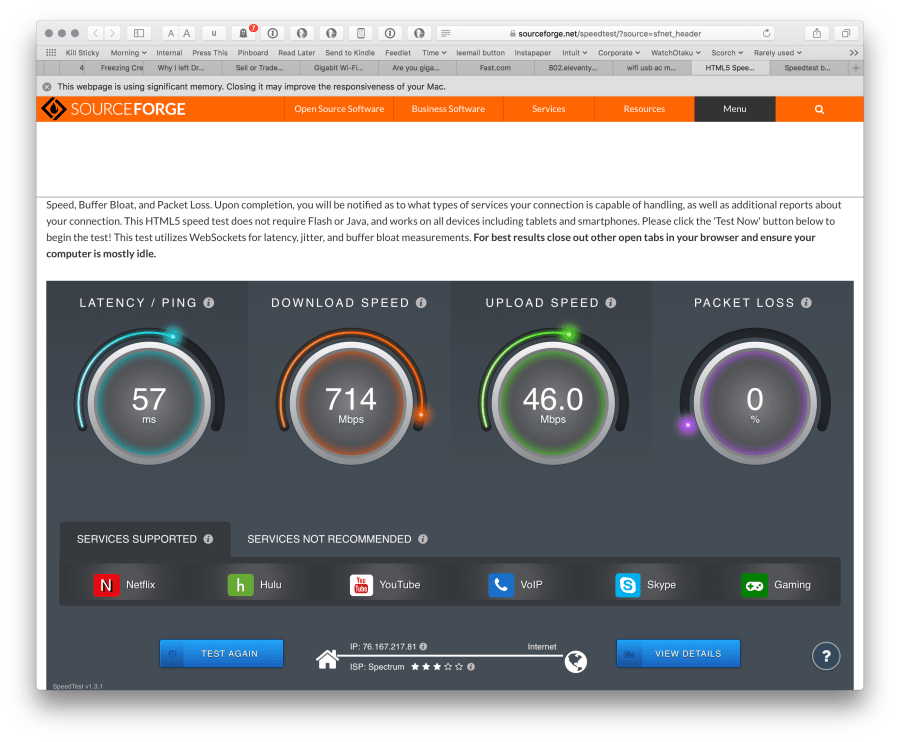


So now that I’ve got “Gigabit” home Internet I’m doing reading about WiFi, because my WiFi tops out around 400ish megabits (45MB/sec) of usable throughput. While researching, I found more bandwidth-testing sites as linked above. The fast.com site is something Netflix made, which is a great idea since that’s there core business and they can refer customers there for a quick test. I don’t actually have 1.3gigabit, but it’s a flattering screenshot. 😉
On Wifi, I get

That’s an Apple Airport Extreme (A1521) and MacBook Pro (Retina, 13″, early 2015, A1502) using 802.11ac, on a 5GHz/80MHz channel. From what I’ve read so far, maximum WiFi usable (ie HTTP) goodput is around 650Mbits, so I’m not far from best-case. Our house is around 1800 square feet, so a single access point provides great coverage, the issue right now is that a gigabit ‘net drop is just plain faster than the wifi you can buy right now. 😉 First world problems…
The Airport Extreme is and has been an excellent choice. It does 3×3 MIMO, according to the wonderful Mactracker. From opening System Information/WiFi on the laptop, I appear to have the Broadcom BCM43xx. I know from the Ars Technica article that some MacBooks have the BCM94360CS with 3×3 MIMO; if I do that’d explain my good speed results.
One of the advantages gained by spending more on Apple hardware; it’s lasted well and is better engineered. I bought them in 2014 and 2015 respectively, so this is not new.
I’m going to hold fast and not buy anything for now. For my friend Tom, whose laptop is older, I’d recommend a ‘600Mbit USB AC WiFi’ off of Amazon for $15. The Airport Extreme was discontinued this year, but they can be found used easily and its 3×3 with 6 antennas really has been superb.
For gigabit in general, see my other posts – you really need to be thorough choosing modem, router and switch before you try to do WiFi.
This is an interactive book which aims to be the best place on the internet for learning SQL. It is free of charge, free of ads and doesn’t require registration or downloads. It helps you learn by running queries against a real-world dataset to complete projects of consequence. It is not a mere reference page — it conveys a mental model for writing SQL.
I expect little to no coding knowledge. Each chapter is designed to take about 30 minutes. As more of the world’s data is stored in databases, I expect that this time will pay rich dividends!
Found this on Hacker News yesterday, a beautiful, interactive and free SQL course. Send this to your junior engineers! I’m passable at SQL, and I had a good time working through some of the problems. It’s well structured and uses a very … unusual… data set.
via Select Star SQL

I chose this at Costco, and my then-girlfriend and mother both contributed to it.

Basic Seiko, 7T32 quartz with chronograph, alarm and lume dial. Served me all through grad school and Fermilab, only to be replaced by a Blue Angels Citizen when I started flying. I recently sent it to Seiko in NJ for a battery, gaskets and crystal and am rediscovering why I loved it. It’s just a wonderful, versatile, easy to wear thing that disappears on the wrist.

I had written before about these with great anticipation, and ended up getting my first takedown request over it. Heh. Well, the embargo is gone and there are posts on multiple sites complete with nice press images, yay!
Briefly, the first three are out with more to come. One 800-piece limited edition, where the yellow-detail version has improved accuracy to the tune of 5 seconds per year. List price $3,500 for that, $3,200 for the regular editions.
SBGN001:

Man I love that one. Subtle dial texture, should be stunning in person. Having had my Seiko with gold accents for a while I think that the yellow would rock.
SBGN003:
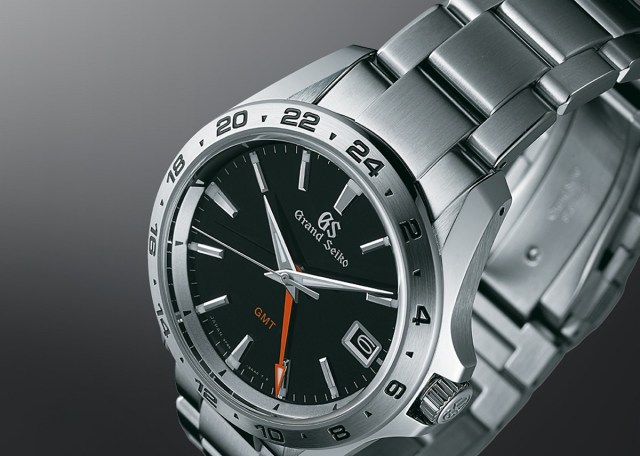
Basic black. Safe color choice. I wish the others had the white-on-black date wheel that this one has.
SBGN005:
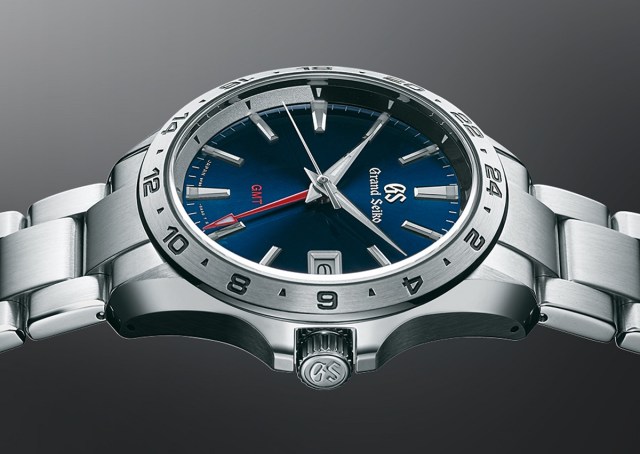
That will, I predict, sell quite well. Right between too bold and too boring, and of course blue is super trendy.
All of these are super, versatile watches with features that make a huge difference in utility:
These are the closest thing I’ve ever seen for a ‘one watch’. (Assuming, of course, you are OK with quartz). I’m in love.
O&O ShutUp10 means you have full control over which comfort functions under Windows 10 you wish to use, and you decide when the passing on of your data goes too far. Using a very simple interface, you decide how Windows 10 should respect your privacy by deciding which unwanted functions should be deactivated.
O&O ShutUp10 is entirely free and does not have to be installed – it can be simply run directly and immediately on your PC. And it will not install or download retrospectively unwanted or unnecessary software, like so many other programs do these days!
Bookmarked for if I switch to Windows.
via O&O ShutUp10
 ultracrepidarian