Quantified self

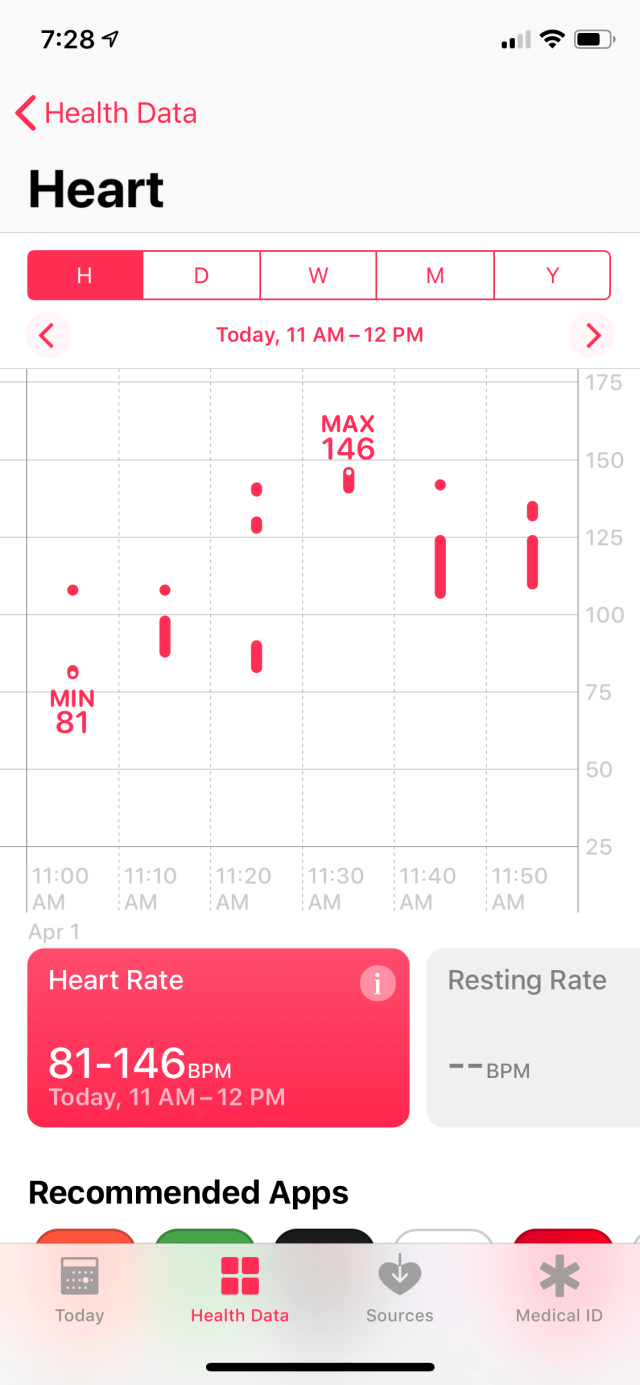
So I bought a heart rate sensor, the Polar OH1 Plus. (Based entirely on this epic review from DC Rainmaker.) I am curious about fitness and have been liking the 0.5Hz readings from the Motiv.

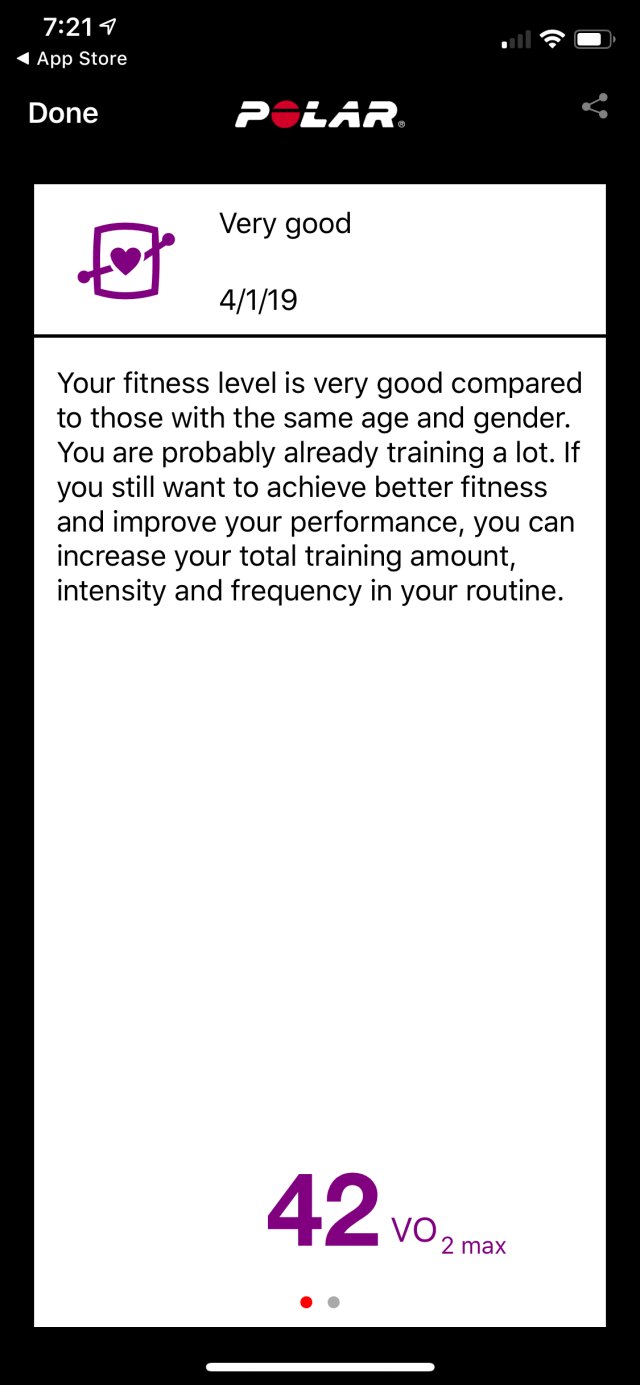
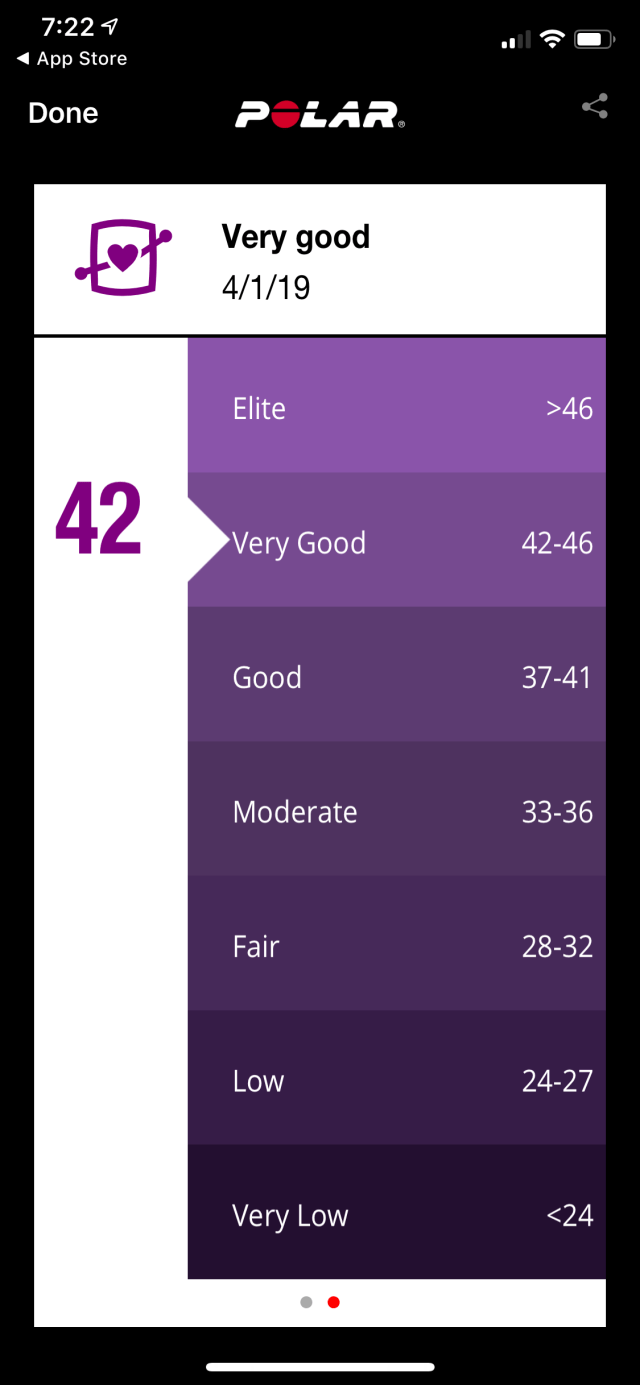
So this new one should provide better data. And it has a VO2 max fitness test, which of course I promptly took:

Yay me!

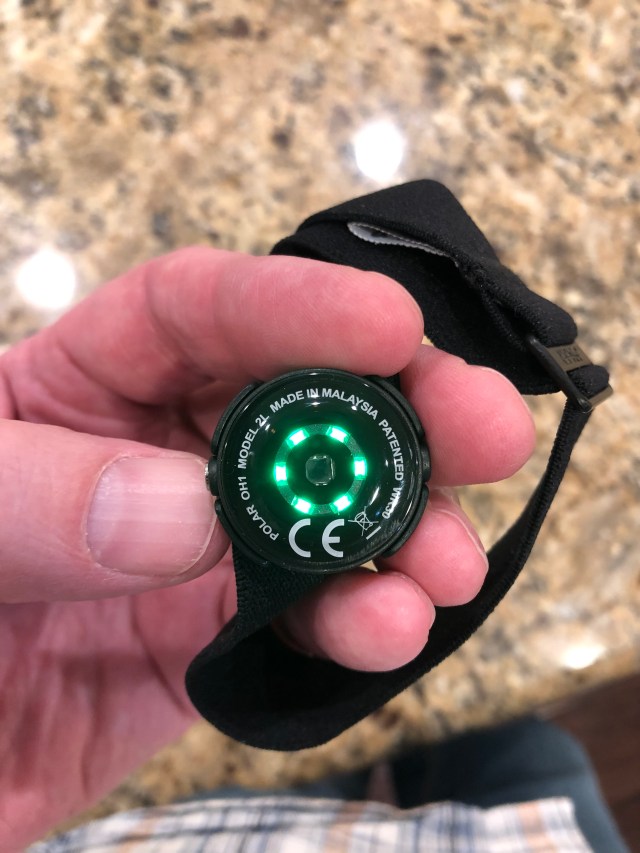
Sensor:

This week I’ll play more volleyball and see. I like that it’s cheap, accurate and works for all sports including swimming. And DCR like it too, and he’s a much better judge than I am, so consider the OH1+ recommended.

Get one from Amazon for $80 here.

Hardware for gigabit

As part of my series of posts on gigabit Internet connections I had a friend ask about hardware, which is currently spread across multiple posts. Here’s what I’m running with a bit of details for each item. I’ll go from the outermost layer inwards.

Guidelines and goals

All equipment must be low power.

No cooling fans.

Reliability is worth paying extra.

Modem and router

2018-09-25 16.25.23

The modem is supplied by Spectrum, as their only approved model, and is DOCSIS 3.1. A bit bulky but low-power, reliable and delivering the promised speed. It’s linked via a short cable to my Ubiquiti ER-4 router/firewall. I had to upgrade from the ER-X as explained here, I wasn’t able to get line speed out of the ER-X and rather than fight that I upgraded to the ER-4. So far, it’s been great and I recommend it without hesitation.

Backbone switch

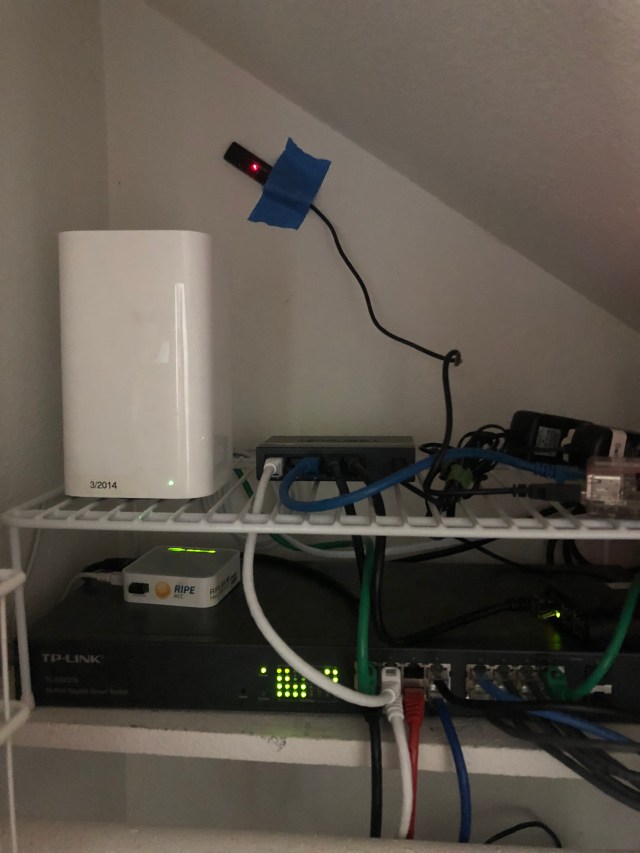
2018-09-25 16.25.18

I wanted a backbone that’d handle lots of load, give me the ability to monitor/tweak, and generally be awesome. For an ethernet switch, that means

  1. Fully non-blocking; i.e. handle 100% traffic, bidirectionally, across all ports.
  2. Managed, with a web interface
  3. Media ports so I can add fiber if necessary

I bought the TP-Link TL-SG2216 which is a 16 port version; you can get more ports in the same switch. It’s been a good choice, right now I’ve got some bug with SSL on the web interface but the switch and SNMP have been flawless. I should have paid for more ports; if you squint at the picture you can see a 5-port dumb switch I had to daisy chain in to add more ports. Ahh well.

WiFi

I have had much better luck using access points as opposed to all-in-one, so I use and recommend that. In my case, that’s the no longer sold Apple AirPort Extreme 802.11ac in access point mode. I disable disk sharing, DHCP, etc, etc and it runs for months and months with no problem. Note that I have very heavy usage, with upwards of 50 clients ranging from laptops, IoT, phones, tablets, etc, so the split AP/router configuration should also work for small biz or advanced home networks too.

A bit more detail about Wi-Fi Gigabit internet, the WiFi link.

DHCP and DNS

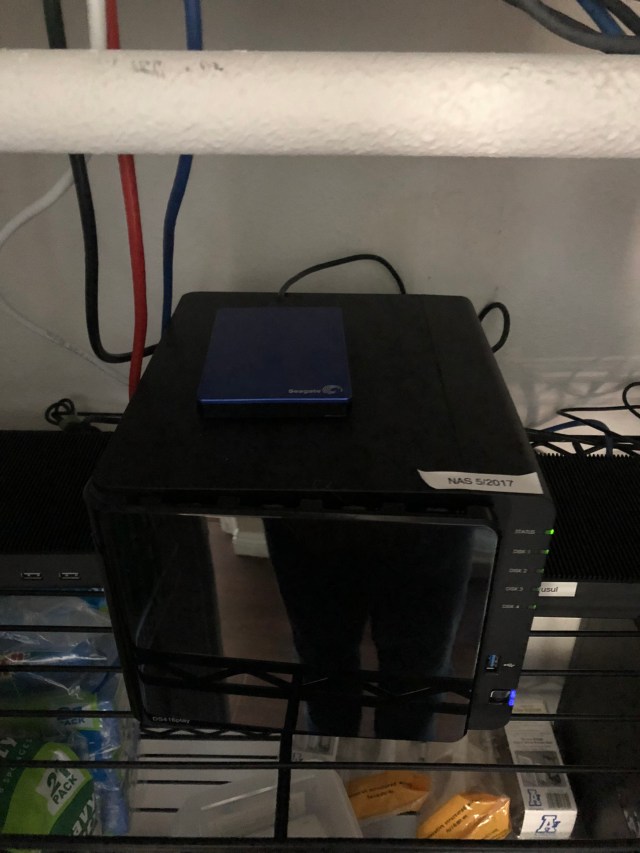
2018-09-25 16.25.31

That’s my four-drive Synology DS416play. It’s a drive server, basically, but Synology makes great software so I also run other services on it that I used to host on Debian:

  • Local DNS and forwarding. I can resolve internal hostnames and also forward to 1.1.1.1 and 9.9.9.9 resolvers.
  • DHCP server – hand out permanent and dynamic IPs on my class C subnet.
  • TimeMachine and NFS backup, then mirrored to Amazon Drive for off-site backups.

It’s a great little machine and my second Synology. Quiet, reliable and fast – I run the dual gigabit links to the switch and use the bridged mode, so I’ve got ~200MB/sec available.

Pi Hole ad blocker

I mentioned this in Staying sane and well-read with tab sets ad blocking and RSS – I adore this thing! I use a gen-1 pi for hardware and it provides DNS-level ad filtering for every device on the network.

Note that the DHCP server on the NAS gives out the Pi-hole’s IP as the DNS server to use, and the Pi-Hole is setup to use the NAS as its upstream. That way you get ad blocking plus local resolution. Takes a bit to configure that way but the results are excellent.

Battery backup

2018-09-25 16.25.09

After an outage I added the APC Back-UPS Pro BR1500G and external battery pack. Since the entire set of hardware uses 65 watts, this provides around 300 minutes of power, more than enough to keep running and nicely avoiding server problems due to the short 1-second glitches that I see about once a week.

Where to buy watch straps

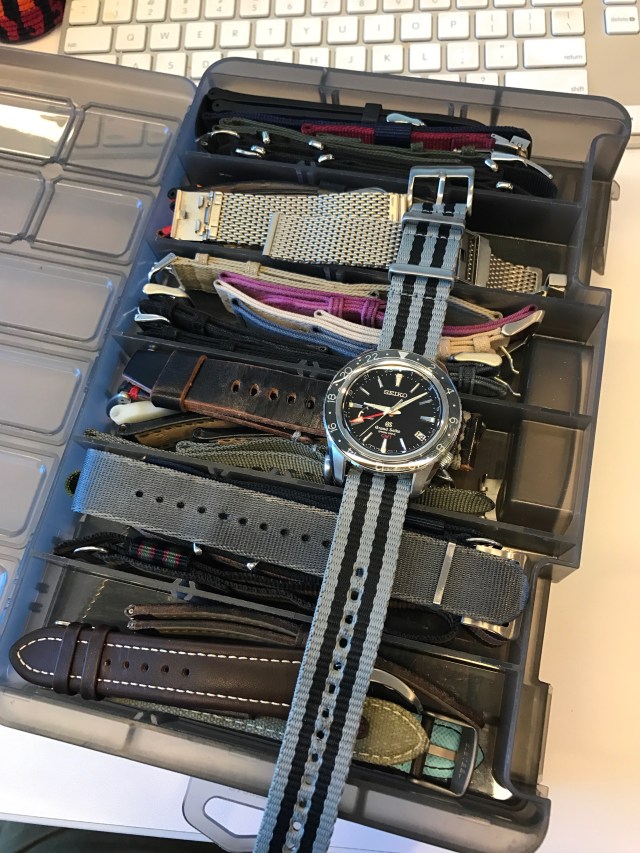
A friend asked me for a few sources of watch straps, so I’ll start a page here that I can share around. I’ve bought a lot of straps and bracelets, probably in the 1-2k range if you count watch-specific bracelets, so I’ve got lots of opinions to share. Here’s a quarter of my current collection:
IMG_2858

But first, Paul’s Rules for Strap Acquisition:

Rule 1: Always

… buy the bracelet. Often, watches are offered with and without the bracelet. Buy the bracelet when you get the watch even if you don’t want it immediately.

Why?

Because bracelets are specific to a watch. In particular, the end links are nearly impossible to fit and/or find properly. So buy the bracelet; swap it it out if you want but I’ve never once regretted having it. They cost a lot more if you return post-sale to buy the bracelet by itself. For example, IWC wants over $1,000 for an Aquatimer bracelet.

Similarly, if the factory strap has a ratcheting/extensible clasp, buy it. See that post for reasons and details.

Rule 2: Never

… buy the factory leather straps. They’re OEM’d anyway, the markup is severe, and since leather only lasts a year or two, your value for money is poor. Buy a fancy custom one from ABP or Camille Fournet if you want, it’s still a better deal.

If the factory buckle or deployant is to your liking, you can often buy them separately and they are easily fitted to a strap.

Rule 3: Rarely

… buy watches with non-standard lugs. Oris Aquis, IWC Aquatimer, VC Overseas, Tudor North Flag… all great watches, but finding third-party straps is at least a hundred times more difficult.

Let’s Spend Some Money

This page will probably need lots of expansion and edits; for now I’ll sketch out the major topics and links for later. Leave a comment if you want, it’d be good to know which pieces are useful to know more about.

How to Shop

I was going to write this up, but this Barton page does it better. Read that and come back. Covers sizing, how to fit a NATO, wrist size and more.

If you want more opinions, there’s a WUS forum dedicated to straps and bracelets that is a deep well of knowledge.

Shops and Vendors

High-end leather

For leather, I recommend kangaroo for versatile/comfort, Cordovan for sheer beauty, and calf for comfort/price. You can get real alligator, but it’s import/export controlled, meaning that you need paperwork to sell a watch with a gator strap, and the one I bought isn’t all that awesome.

  • ABP High end, think 200$ per strap and up, first-rate reputation and well worth a visit if you’re in Paris.
  • Camille Fournet Also high end, the last RGM I bought had a CF strap, probably mostly 100 and up.
  • Hodinkee Nice stuff, also expensive, well photographed and curated, overpriced in my opinion.
  • Worn and Wound Similar to Hodinkee but about 80% of the price.
  • Christopher Ward sells a superb Cordovan leather strap with a Bader deployant (found via this review) that is amazing. It’s not cheap at $125, but the quality of the leather and clasp is easily 3x the price, there’s no discernible difference from the Omega deployant and leather. I bought one of these for my Omega Globemaster and I love it.
  • I’ve bought bunch of varied mid to high end straps from Global Watchband, they also sell alligator from $200 to $400 each. I get my Hirsch from them as well as my Cordura.
  • OWC Kangaroo – the best $100 strap that I’ve ever seen. 20mm only, with fixed tubes that necessitate drilled lugs, but OMFG ‘roo leather is the best. Full review to follow.

Pricy but cool

Erika’s Originals MN straps are like $80 each, but the backstory (French parachutists, see this story) and actual straps are very cool. I have two, and they work on lugs from 20 to 22mm and are pretty good especially in hot weather.

As of August 2018, Erika has a lower-priced competitor in The Watch Steward. According to this WUS thread they are solid competition. I’ve not seen them yet.

Also cool is the Hirsch Robby sailcloth. It’s $110, very expensive for a rubber strap, but the build detailing and comfort are worth it to me. Instead of a slab of rubber, it’s articulated and vented, so you can wear it with less induced sweat when the weather heats up:

hirsch-performance-robby-perforated-sailcloth-and-rubber-lined-watch-band-22mm-robby-091-xx-940-50-16

the Robby is my pick for best rubber strap I’ve had.

Segmented polyurethane
Screenshot 2018-08-28 14.39.46

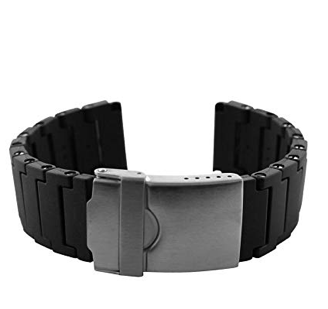
I think these were introduced with the JLC Navy Seals or maybe the Luminox 3000 series. It’s made a like a bracelet, with individual links, but instead of metal the links are plastic and thus very lightweight. They’re a bit pricy at $35, but I quite like mine. Also note that you can use an Exacto to fit them into smaller lugs, I shaved a 22mm into a 20mm and it looks okay. Get them on Amazon.

Affordables

You don’t need to spend a hundred bucks to get a great strap, let’s talk both vendors and materials for straps that you can afford and stock up.

Vendors

  • B&R Bands is great. Straps under ten bucks, all sorts of materials, some with quick release, a good way to try a few styles and colors.
  • eBay and Amazon, of course.

Materials and styles

Silicone rubber – undoubtedly the Barton 2-piece silicone:

Soft_Blue_950141b0-0d24-450d-bfa8-93c9134afd1f

This are about 1/9th the price of the Robby and have quick release, it shouldn’t surprise you that I have quite a few of these!

Canvas

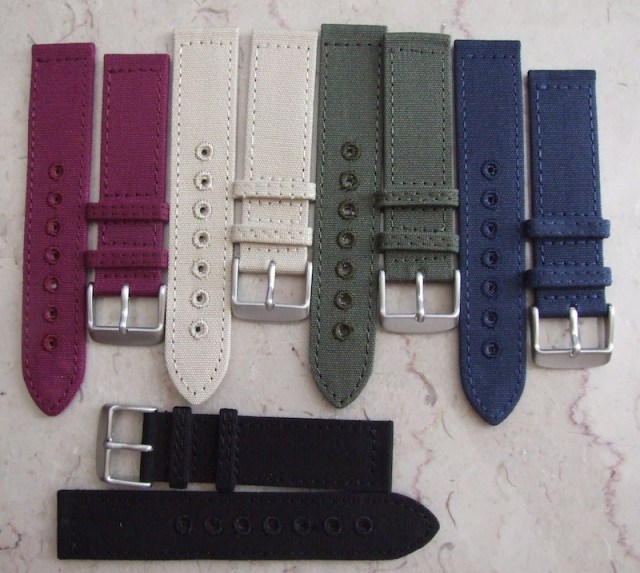
I used to buy these from Timefactors and had quite a few:
canvas-5

However, they no longer list them, so now I buy and recommend the Barton 2-piece quick release, which I get via Amazon. Well made and I love the quick-release straps.

Nantuckett_Blue_fc85d7e5-6a12-434f-8fa9-8fc75c12bb27

Nato & Zulo

So many options! Here, my favorite vendors are:

  • BluShark makes high-quality seatbelts especially, the AlphaShark here on my Seiko is a very comfortable strap.
  • Haveston makes really cool and thicker straps with pretty color ways. I’ve yet to buy one though.
  • ToxicNATOs has gotten more of my business than all others combined – their Blue Falcon and ShizNit (seatbelt) straps are my go-to favorites. Highly recommended.

Perlon

These are different. They fit literally any wrist, since the tang goes into the weave, and they’re like eight bucks each on cheapestnatostraps.com. I bought a fistful and promptly lost them all to my daughter who loves being able to color-match any outfit in a few seconds. Good in warm weather, waterproof but can poke your skin a bit with loose plastic and they definitely look a bit cheap.

IMG_3090

Bracelets

As I said above, this is hard. Here’s the only time I’ve managed good end-link fitment:

IMG_2564

That’s a cheap ($20ish) 3-link Oyster with hollow end links, that I painstakingly hand-filed to fit the watch. It took a couple of hours, and the bracelet is still uncomfortable with sharp edges. So yeah, but the factory if you possibly can.

For bracelets, start at Strapcode. Good stuff. I’ll have more posts on bracelets since there’s lots of depth here to explore.

“Gigabit” home Internet

In San Diego, we have decent ISP options, and for a while we even had the possibility of Google Fiber. (That would have been awesome.) I’ve been on Spectrum, FKA Time Warner, for a few years at 300/25Mbit, and today a technician came by, swapped out our cable modem and upgraded us to “up to 940Mbit.” The Spectrum page with availability check is here.
Upload speed unspecified, and the ‘up to’ is never good. The price is 125/month, but there’s a $20 discount for a total of $105 a month with taxes, which is the same price I’m paying now. You do have to pay $200 for a technician visit, but I can get over that.

The other local ISP of interest is AT&T, who in some areas has full, symmetric gigabit. Not our area yet, though.

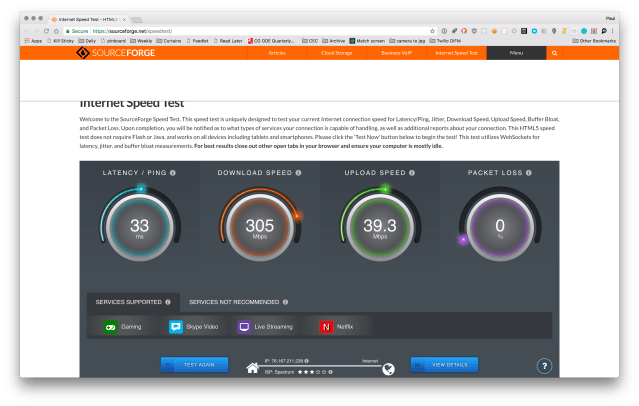
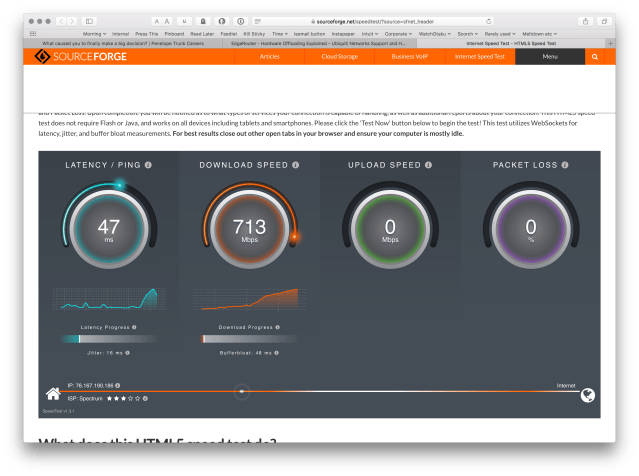
Anyway, it looks like the money I saved on my EdgeRouter X has bitten me. It was a $50 replacement when my ER-3 Lite died, and I knew when I bought it that it maxed out under 400Mbits. Sure enough, today I ran some speed tests, and also a BitTorrent download of the Ubuntu ISO and even on wired gigabit I’m “only” seeing around 350Mbit by 45Mbit:

Screenshot 2018-08-01 19.36.59.png

Screenshot 2018-08-01 20.17.32.png

During the test, the CPU on the router hit 100% – there’s the problem!

Screenshot 2018-08-01 19.37.20.png

Meh, I say, meh. This MUST BE FIXED IMMEDIATELY. Off I went to the Ubiquiti router comparison page:

Screenshot 2018-08-01 20.19.35.png

The ER-4 is new, and looks great – still silent and fan-less, more power (13W vs 5) but not too bad, and much faster. Amazon has them for $166. I’ve ordered one, and if that helps then it’ll be money well spent. I think I made the right call with the ER-X, as the ER-4 wasn’t out yet. If not, well, hmm. That’d require more work and research.

More info for the curious: I tried disabling DPI in the ER-X, but it made under 10% difference, and the other thing I’ll try is doing the speed tests directly from the laptop to the modem. The tests that I used are HTML5 speedtest and Speedtest.net.

Update 8/2/18

I enabled hardware offload and re-ran the tests. A tiny bit faster, and now no CPU problems, but where’s my speed?

Screenshot 2018-08-02 07.13.35.png

Screenshot 2018-08-02 07.13.04.png

Screenshot 2018-08-02 07.23.21.png

And when I plugged my laptop directly into the modem, voila:

Screenshot 2018-08-02 07.40.35.png

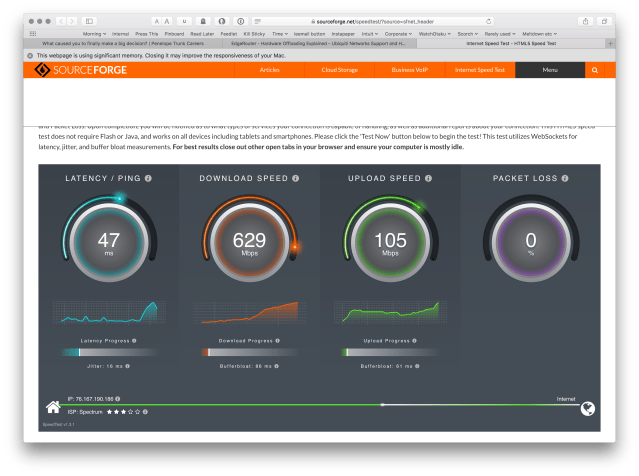
Still not full gigabit, but much better. Uploads peaked over 100Mbit too:

Screenshot 2018-08-02 07.41.00.png

So I think I’ll try the ER-4 and see how it does. Odd that others on the net had better luck with the ER-X, though.

Update 8/3/18: Yay new router! Peaking at 958Mbits:

Screenshot 2018-08-03 19.03.41.png

Screenshot 2018-08-03 19.03.56.png

Mind you, this is testing at peak Internet time, Friday evening, so I suspect I’m limited elsewhere. So far it looks great as far as speed. I wasn’t able to restore my old configuration onto the new router, so I’m in for a couple of hours of tedium tomorrow recreating the dynamic DNS setup, but that’s not terrible.

Gigabit!

Keep it simple: G-Shock GA-800

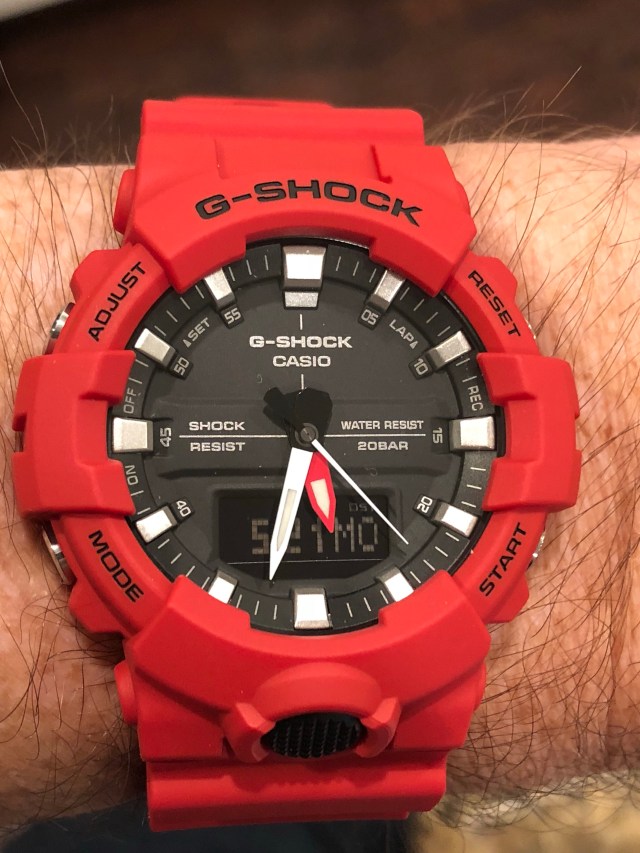
I was browsing a while ago and for some reason this caught my eye.

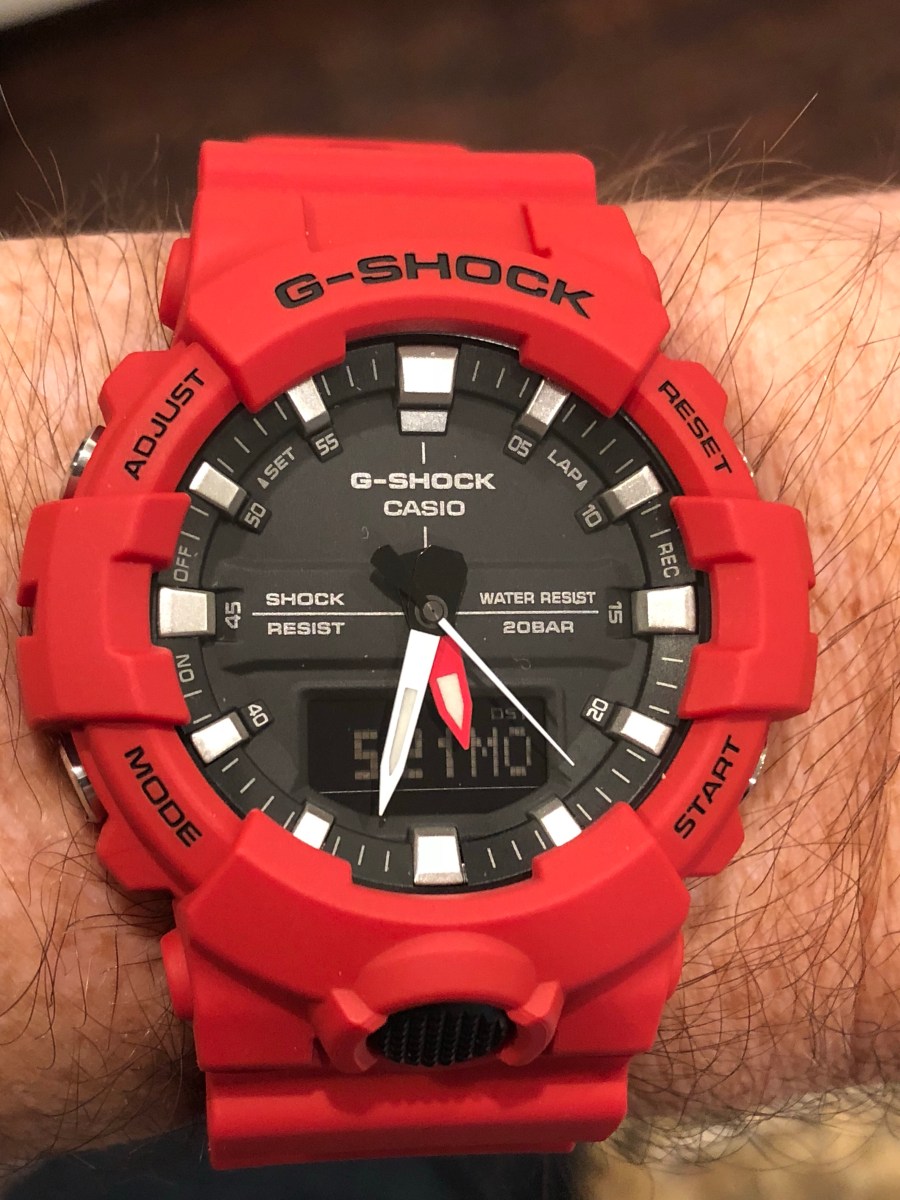
That’s the GA-800. Sixty eight bucks on Amazon.

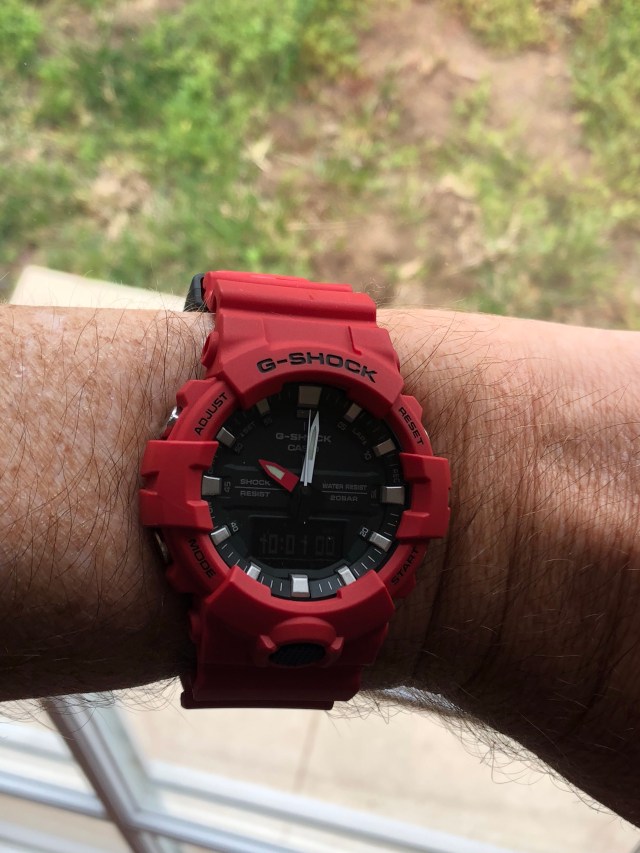
It’s basic for a G. Analog and digital, a rare second hand, even lume on the hands to match the blue dial illumination. Easy to wear, a bit smaller than most.

It lacks gps, barometer, radio set and solar power. The reverse LCD is hard to read at any off angle. The lume is only on the hands and not the dial, so at night you have to use the overly bright light.

Nevertheless I’m delighted with it, it’s an affordable and deeply fun watch. Easy to read the time, very light and comfortable on wrist, and at this price I didn’t flinch when I bashed it on sandstone last weekend.

If the red is too bold for you, there are other colors including black, some with more legible standard LCDs. It’s easy to find on Amazon or wherever; not a jdm or limited edition.

Here’s where I got mine: G-Shock Men’s GA-800 Red One Size https://www.amazon.com/dp/B075JH53L9?ref=yo_pop_ma_swf

Scan Your Feet

Sometimes, a few minutes of time will make a large difference in your life. I’ve got one of those to share. Yesterday at work, the work fitness center brought in two guys from Fleet Feet with their ‘fit id’ foot scanner:

generateImage
Image credit: Fleet Feet

So you stand on the scanner for a few seconds, and a dozen cameras scan your feet. Science!

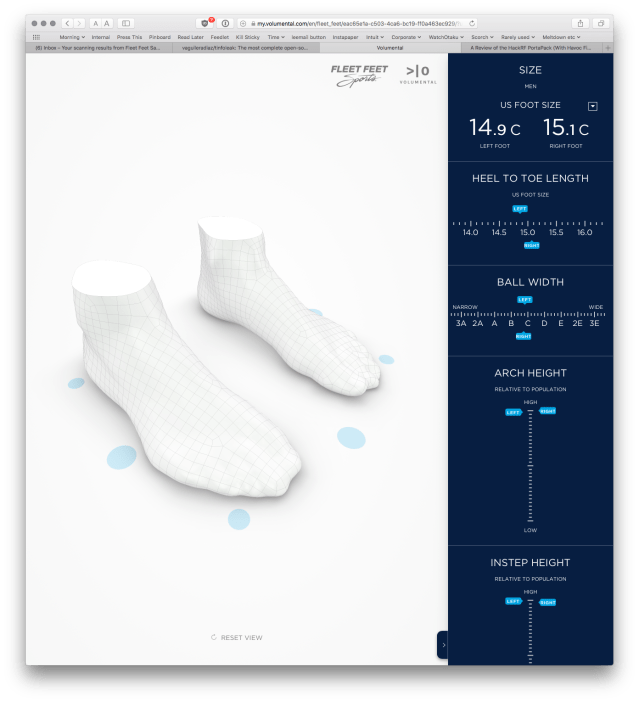
For me, I’ve long had problems finding shoes that fit. Size 15, so right there I lose 80% of the brands and stores. Recently I’ve been buying wider shoes as they seem to fit better. However, I learned that my problem isn’t width, I’m actually narrower than average, but I have super high arches and the extra material added to wide shoes helps span the arch of my taller feet.

Well dang. That helps. I’ll try arch supports, that should help as I get back into trail running. The lack of support was apparently why I had Achilles pain; makes sense.

Fleet Feet sends you the results; here’s a link to mine and here is a screenshot:

Screenshot 2018-04-20 08.38.08

Click through the link and you can Explore! My! Feet! In 3D!

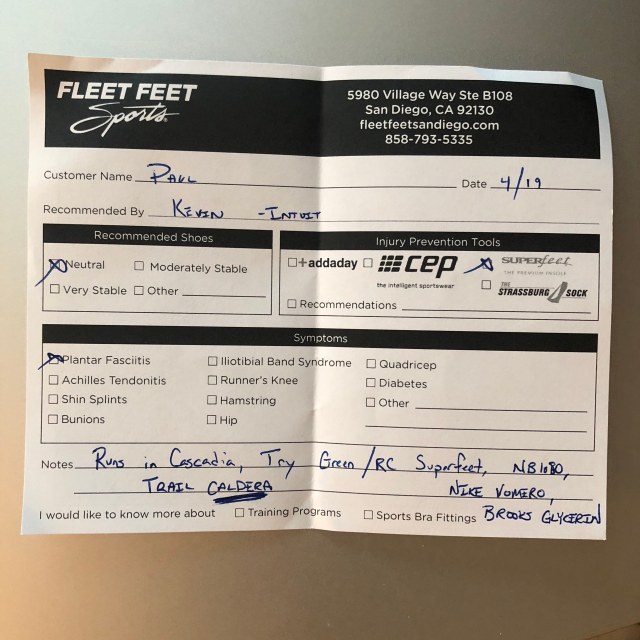
Anyway, if you do any running I cannot recommend this enough. It took less than 15 minutes, I got a nice paper note with recommendations for shoes and insoles that should work for me, and the man helping me was super. No sales pitch at all, just helpful advice.

feet

Their locator is here and I would assume that other running shoe stores might have the same system.

Like I said, some times a few minutes of your day makes a huge difference. This is one of them.

Yes Equilibrium

So this arrived today:

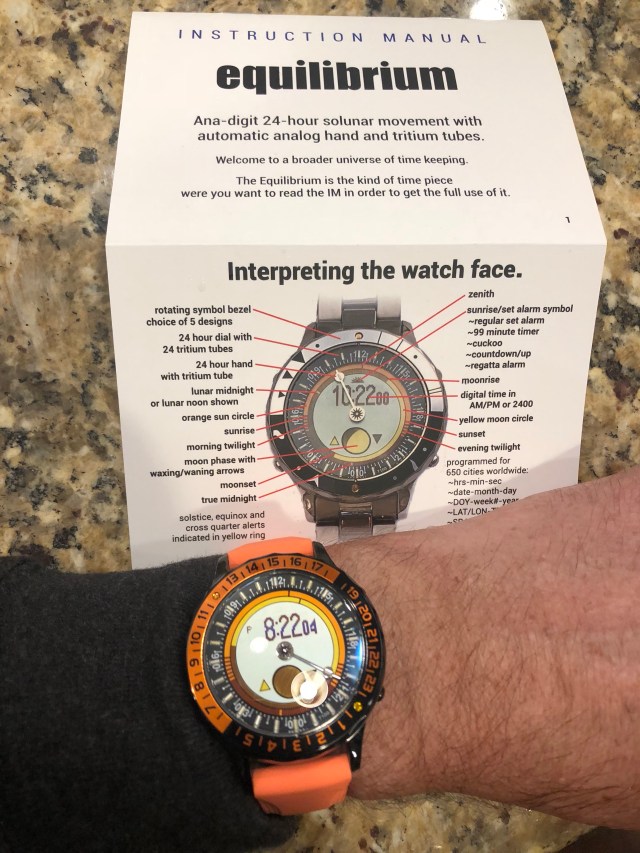
That’s the Equilibrium, the new model from Yes Watches. I had a small but prolonged role as an engineering consultant and got to visit Hong Kong twice as part of it. I chose the shiny black titanium case and orange accents because by golly I’m proud and I want you to ask me about it!

It took years of engineering and manufacturing obstacles, and of course a world financial crisis too, that didn’t exactly help. Bjorn et al: ya done great.

And today is tax day, I’m finishing ours on TurboTax, where I work and also have a small role. I’m proud of that, too. 😉